
Fleet Management Systems: A Practical Selection Guide
Fleet System Selection
A fleet management system collects vehicle, driver or work data and turns it into maps, alerts and reports. The right system solves a defined workflow. More features do not help when the data has no owner or action.
The short answer
Choose one problem first: dispatch, route visibility, maintenance, incident review or driver safety. List the data and action needed. Test coverage, update delay, reports, access, retention and integration before committing the full fleet.
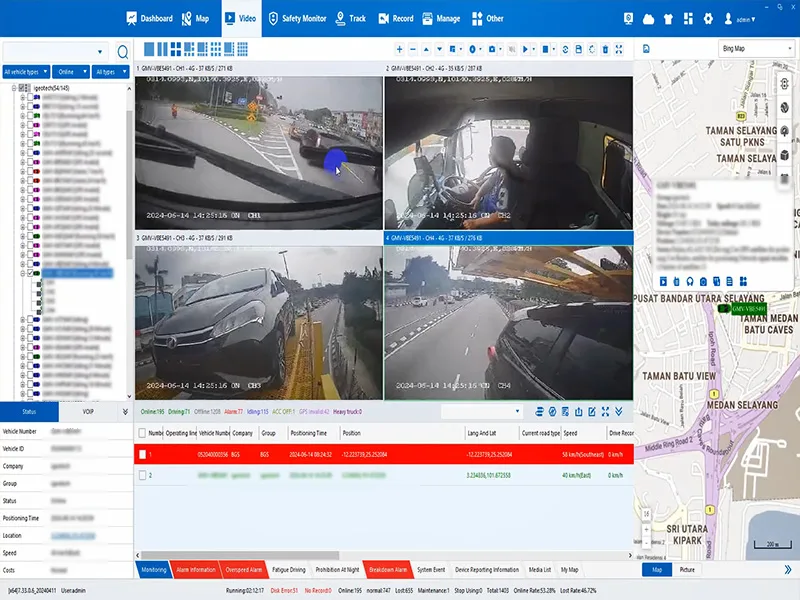
What can a fleet management system include?
A system may combine vehicle location, trip history, geofences, video, driver events, maintenance records and user roles. Functions vary by device, platform, connection and service plan.
Separate the platform from the devices
The platform manages accounts, maps, reports, permissions and work queues. Vehicle devices capture the supported location, video, sensor or driver-event data. Installation, connectivity and integration determine whether that data reaches the platform in a useful form. A camera or recorder does not automatically provide maintenance planning, payroll, fuel accounting or every other fleet-management function.
| Task | Data to check | Owner and next action |
|---|---|---|
| Dispatch and vehicle use | Position, trip times, coverage gaps and vehicle availability | Dispatcher checks an exception and updates the job plan |
| Driver safety | Supported events, relevant clips and review context | Safety manager reviews the event and agrees a coaching action |
| Maintenance | Service records and supported mileage or diagnostic fields | Maintenance lead checks the source and schedules work |
| Operating cost | Agreed fuel, distance, idle-time or service-cost records | Operations lead compares a baseline and investigates changes |
Check which functions are native, which need an integration and which remain manual. Agree who owns missing or conflicting records before making reports part of everyday work.
How should a fleet define its requirements?
Write the current workflow and the delay or risk it creates. Name the people who use the data. Separate must-have functions from optional reports. Set a measurable result for the pilot.
Use one workflow as the selection test
For example, a fleet that struggles with delayed incident review can define a sequence: receive an event, identify the vehicle and time, retrieve the relevant clip, review the context, assign an action and record closure. Decide who performs each step and what counts as a usable record.
Set a pilot baseline before deployment. Record the current review time, missing records and staff effort, then use the same definitions during the pilot. More alerts are not automatically evidence of improvement: check review quality, unresolved cases and whether staff can act on the information.
- Choose one costly workflow
- Define required data and action
- Pilot real vehicles and coverage
- Set access, retention and ownership
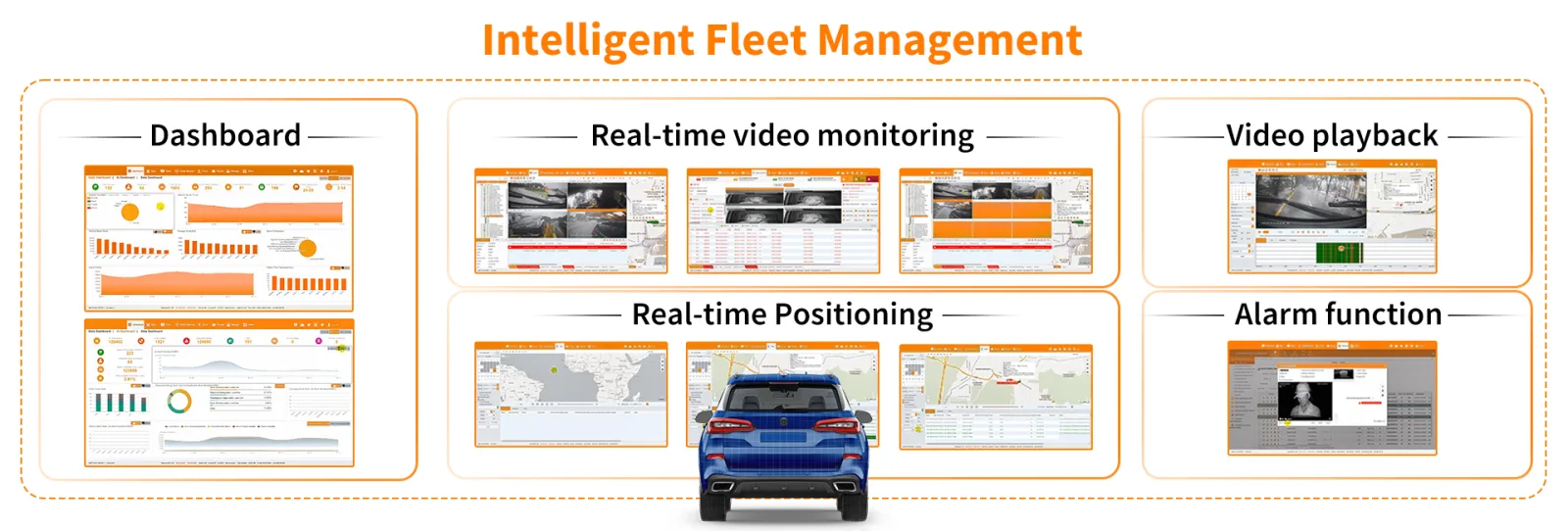
How do GPS, video and driver events connect?
GPS records help locate a vehicle and reconstruct trips. Video can add context to selected events. Driver monitoring can supply supported fatigue or distraction alerts, but a manager still needs a fair review and follow-up process. Confirm the exact hardware and firmware behavior rather than treating these as interchangeable features.
- Agree vehicle and device IDs, timestamps, time zones and event definitions.
- Confirm the API or protocol, authentication, available fields and integration owner.
- Test disconnected operation, delayed uploads, duplicate messages and recovery.
- Check whether clips are stored locally, retrieved on request or uploaded automatically.
- Test the complete workflow in the intended platform, including permissions and exports.
Use the AI dashcam and telematics integration guide for technical checks, and the fleet data-silo guide for ownership and shared data definitions. For driver-event hardware, see the DMS selection checklist.
What belongs in the total cost?
Compare quotes over the same fleet size and planning period. Include hardware, installation, commissioning, connectivity, platform or license charges, storage, maintenance, integration work and the staff time needed to review events. Confirm which items are one-time, recurring or usage-based.
Ask what happens when vehicles are added, data use increases or the contract ends. Check export formats, retention, ongoing support and replacement costs. A low device price alone does not describe the operating cost of the complete workflow.
The fleet MDVR mobile-data guide and MDVR video-storage calculator can help frame capacity questions. Use your chosen recording, upload and retention settings; their examples are not a fixed service quote. For management decisions, see fleet operating-cost controls.
What should a fleet test?
Check map and event delay, mobile coverage, offline storage, report exports, user permissions, device health and support. If video is included, test upload time and data use.
Agree acceptance criteria before expanding
- Define the sample: include the relevant vehicle types, routes, shifts and known coverage gaps.
- Check capture and recovery: compare expected records with received records, including power-off and offline periods.
- Run an event end to end: retrieve a record or clip, review it, assign an action and confirm closure.
- Check access: test who can view, export and delete records, and how actions are logged.
- Measure workload: record review time, unresolved cases, upload delays and support issues using agreed definitions.
- Decide the next step: accept, adjust or repeat the pilot against criteria agreed by operations, IT and safety staff.
Set thresholds for the actual workflow rather than assuming a universal pass rate. Record exceptions and the person responsible for resolving them. Expand only after installation, data quality and staff procedures work together.
How should data and privacy be controlled?
Use stable vehicle and driver IDs. Set access by job role and a clear retention period. Explain worker monitoring. Check local privacy and employment rules before collecting personal data.
Document who owns each source, who can correct records and how changes are logged. Distinguish operational records from identifiable driver footage. Apply the agreed retention and deletion process to stored clips, exports and backups, and confirm applicable requirements with the responsible privacy or legal team.
When records disagree, investigate the timestamps, source and missing-data conditions before drawing a conclusion. Reports should show their assumptions and gaps; a dashboard should not turn an incomplete event into an automatic finding about a driver.
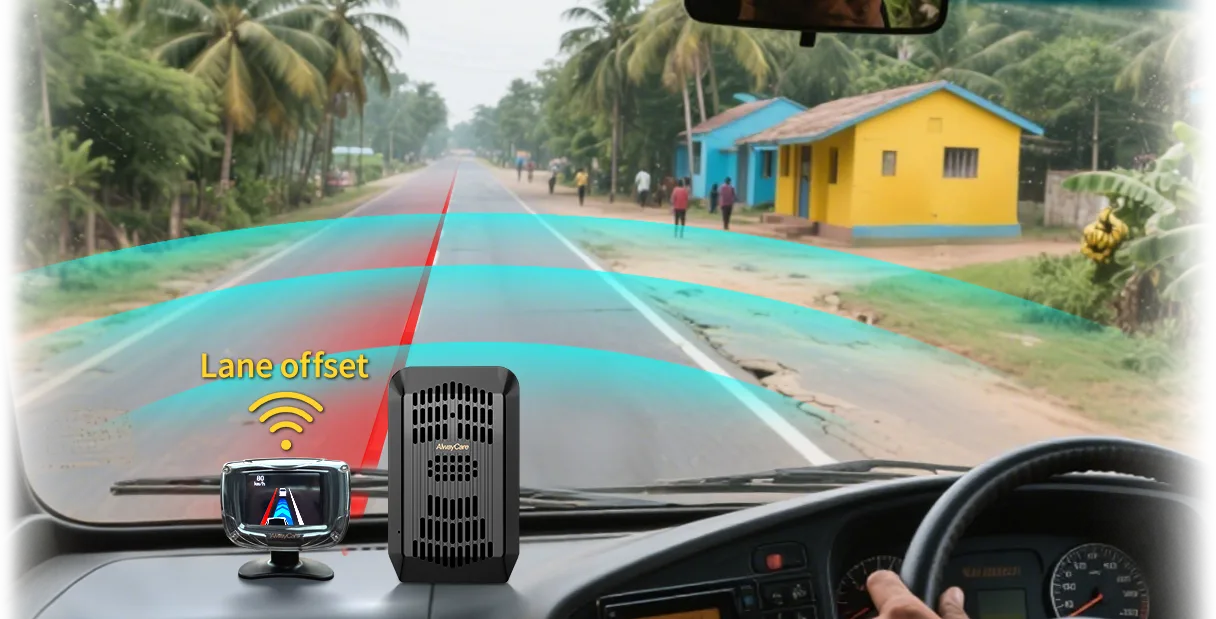
Where can AlwayCare fit?
AlwayCare connected cameras and recorders can provide supported location, video and vehicle events. Confirm the exact device, platform fields, region, network and interface before planning integration.
Related guides for the next decision
- GPS fleet tracking selection and use — coverage, location records and rollout.
- Video telematics for remote oversight — event review, driver support and access controls.
- Truck fleet management controls — day-to-day operating procedures.
- Predictive fleet analytics — data quality and useful actions.
- Fleet safety culture — management responsibilities and follow-up.
Common questions
Does a fleet system include every feature by default?
No. Functions depend on hardware, software and the service plan.
Should a fleet connect every system at once?
Usually no. Prove one workflow before expanding.
Can a dashboard replace management decisions?
No. People still need to check context and act.
Key point to remember
Start with one decision the fleet needs to make better, then select the smallest system that supports it.
Contact AlwayCare to discuss the vehicle, work area and warning or recording needs.
Information checked
This guide uses general fleet telematics, data-governance and system-selection practices. Exact AlwayCare platform functions must be confirmed for each project.
For the people and review process within the fleet-management framework, read driver management for commercial fleets. It connects the monitoring tools to a reviewed action without treating a device alert as a final finding.

