Construction Fleet Telematics: What to Track, Common Problems and How to Roll It Out
Construction Fleet Guide
A construction fleet is rarely one kind of vehicle. Dump trucks, concrete mixers, water trucks, pickups and heavy machines share the same sites but need different data. Telematics for a construction fleet means choosing what to track on each asset, picking equipment that works on a dusty and muddy site, and putting the data into one platform. This guide covers what to track, the problems it helps with, the role of video and a rollout sequence.
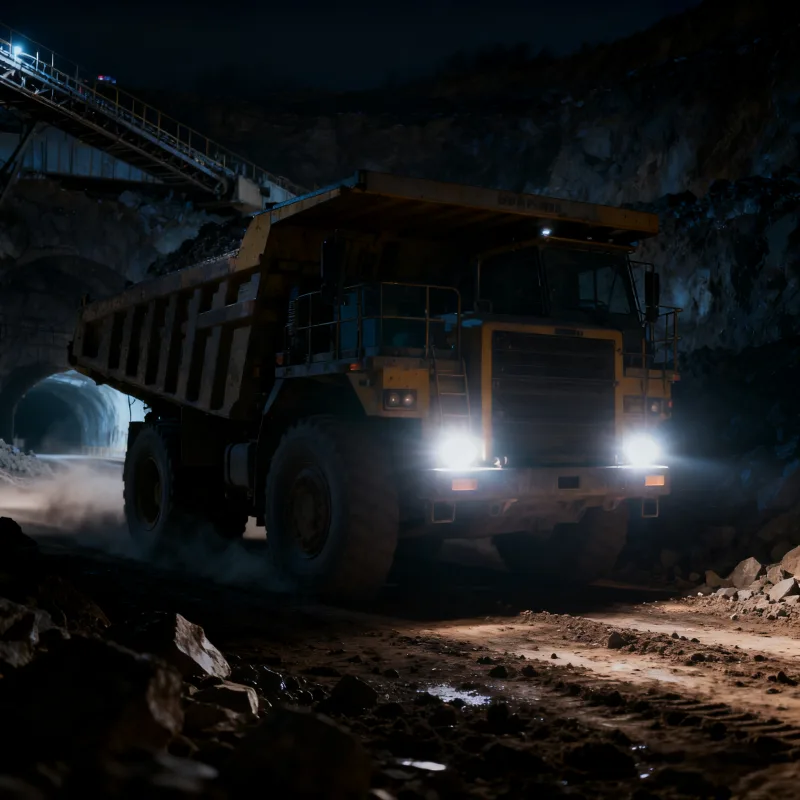
What a construction fleet needs to track
| Asset type | Useful data | How it is usually collected |
|---|---|---|
| Dump trucks and mixers | Position, trip history, stops, speed, driver events | GPS terminal or AI mobile DVR on the vehicle supply |
| Heavy machines | Location on site, working and idle time where the machine can report it | GPS terminal; machine data only if the machine exposes it |
| Light vehicles and pickups | Position, trips, private or unauthorized use | GPS terminal or dash cam |
| Water trucks and service vehicles | Routes, stops and job time | GPS terminal |
| Vehicles working near people | Video, blind spot and proximity events | Cameras, AI blind spot camera, radar and monitor |
Engine data, fuel and hour meters depend on what the vehicle or machine can output. Confirm each machine type with your supplier before you plan reports around it.
Common problems and what addresses them
| Problem | What helps | Where to read more |
|---|---|---|
| Not knowing where vehicles and machines are | Live position and trip history on one map | Read GPS Fleet Tracking Systems: How to Choose and Use Them |
| Vehicles used outside working hours or off route | Geofences, time rules and route review | Read Fleet Tracking vs Telematics vs Fleet Management System |
| Large blind zones around dump trucks and mixers | Blind spot camera, radar or a 360° system with alerts to the driver | Read AI Blind Spot Detection for Commercial Fleets |
| Tight yards and reversing near people | 360° view, rear camera and a rugged monitor | Read Heavy Equipment Cameras: Visibility, Alerts and Selection |
| Several systems that do not talk to each other | One platform for tracking, video and reports | Read Fleet Data Silos: How to Connect Systems Without Creating Risk |
| Mixed vehicle types reported separately | Common groups, rules and reports across asset types | Read Fleet Management Systems: A Practical Selection Guide |
The role of video on a construction fleet
Position data shows where a vehicle was. Video shows what happened around it. On a construction site that matters for close-range work: reversing, turning in a yard and moving near workers on foot. AI blind spot cameras and radar can alert the driver, and a recording host keeps the video for later review. The alerts warn the driver. They do not brake or steer the vehicle, and results depend on installation and settings.
- Blind spot and proximity alerts help the driver notice people and objects close to the vehicle.
- A 360° system gives a view around a large vehicle for slow manoeuvres. See 360 Camera System for Trucks and Buses.
- Video from an AI dash cam or MDVR can support an incident review. See Integrating AI Dashcams with Your Existing Telematics Platform.
- Cab-facing monitoring can alert fatigue and distraction on long shifts. Use it with a clear driver policy.
GPS tracking on a site: coverage, gaps and setup
- Mount the antenna where metal, cab roofs and loads do not block it. A hidden or shielded antenna is a common cause of poor position.
- Plan for areas with weak mobile signal, such as cuttings, tunnels and remote sites. Ask whether the device stores data and uploads it when the network returns.
- Choose a reporting interval that matches the work. Slow site machines and fast road trucks do not need the same setting.
- Check power and ignition wiring so the device reports when the vehicle starts and stops.
- Test each vehicle type on site before a larger order.
Mixed fleets: one platform for reports
A construction fleet usually buys equipment over several years from several suppliers. Before you choose hardware, ask which protocols the platform accepts and which functions are available by model. AlwayCare devices work with platforms that support protocols such as JT/T 808 and JT/T 1078, depending on the model; read Which Devices Can Connect to CMSV6 for a device checklist, and Integrating AI Dashcams with Your Existing Telematics Platform for the platform side.
Emissions and fuel reporting
A telematics platform can report the data it receives: distance, running time, idle time and, where the vehicle supplies it, fuel or engine data. That data can feed your own fuel and emissions reports. The platform does not make a fleet compliant on its own, and results depend on the vehicles and the way the data is used. For the wider topic, see Green Fleet Management: A Practical Emissions and Fuel Guide.
Rollout steps for a construction fleet
- List every asset and group it: road trucks, site machines, light vehicles.
- Decide what each group needs: position only, position and video, or position, video and proximity alerts.
- Check the platform: protocols, reports, user roles and video storage. See Fleet MDVR Storage Calculator.
- Pilot on a few vehicles of each type on a live site for two to four weeks.
- Accept the installation against a checklist. See Fleet Camera System Acceptance Testing: A Site Checklist.
- Train drivers and supervisors, then expand in stages.
AlwayCare equipment for construction vehicles
| Model | Type | Listed specifications |
|---|---|---|
| M360-2 | 6-channel 360° camera system with BSD | 12/24V; 1920x1080; 512GB storage; -30℃ to 70℃; warranty 15 months |
| MR920-360BA | 9-channel AI MDVR with 360° AVM and BSD | 9 channels (8 AHD + 1 IPC); 4G LTE, GPS/BDS and Wi-Fi; up to 2TB HDD/SSD plus SD; DC 9V-36V; -20℃ to 70℃ |
| DP210-B | 7-inch IP68 heavy-duty monitor | 1024x600; 500 cd/m2 anti-glare; DC 9V-36V; 2-channel dual-split input; -20℃ to 70℃ |
| CC866-AHD20 | IP68 160° wide-angle vehicle camera | 1920x1080; 160°; 12V; -30℃ to 75℃; warranty 15 months |
| CC1002-BSD | 1080P AI blind spot camera | Pedestrian and cyclist detection; IP69K; DC 12V; -20℃ to 70℃ |
| R300 | IP67 ultrasonic collision warning radar | 12/24V; 0.3-5m range; 4 or 8 probes; -30℃ to 80℃; warranty 15 months |
| G405 | 4G GPS and BeiDou vehicle tracking terminal | See the product page for the parameters |
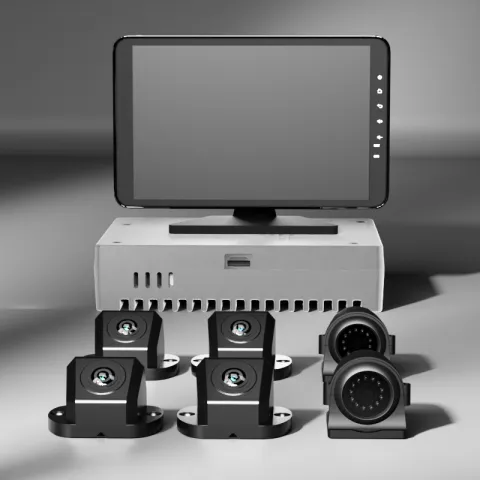 M360-26-Channel 360° Camera System with BSDRequest a quote
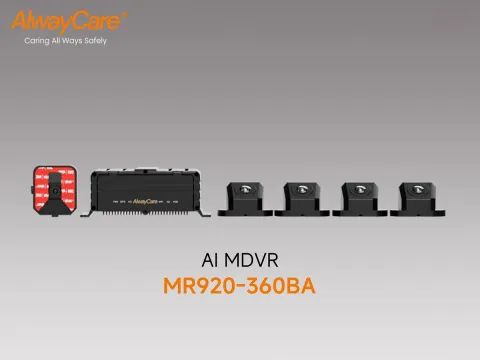 MR920-360BA9-Channel AI MDVR (360° AVM + BSD)Request a quote
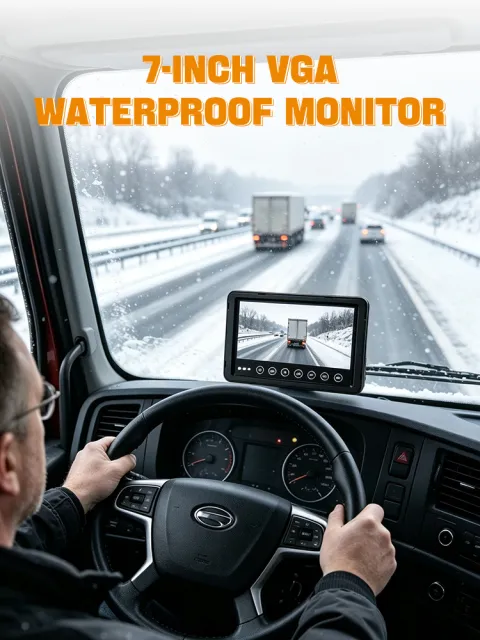 DP210-B7" IP68 Waterproof Heavy-Duty Commercial Vehicle MonitorRequest a quote
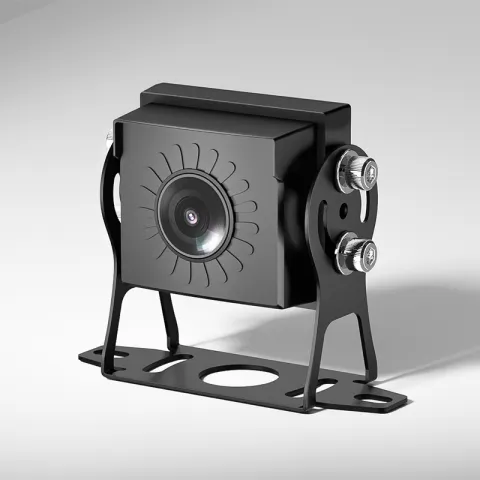 CC866-AHD20IP68 160° Wide-Angle Vehicle CameraRequest a quote
Specifications come from the product pages. Your quotation confirms the configuration, platform support and fitting plan for each vehicle. See the construction machinery fleet solution for example packages.
Questions about construction fleet telematics
Can one platform manage trucks, machines and light vehicles?
Often yes, if the platform accepts the protocols of each device. Check position, video and report functions for each asset type, and confirm support by model.
Can machines already in service be fitted?
Cameras, 360° systems, radar and GPS terminals are retrofit products. Send the machine type and we will confirm the fitting plan in your quotation.
What if a site has weak mobile signal?
Ask whether the device stores data during an outage and uploads it later, and how video is stored on the vehicle. Test on the real site.
How much video storage do we need?
It depends on the number of channels, the recording setting and shift length. Use a storage calculator and confirm the card or disk size in your quotation.
Do blind spot and proximity alerts control the vehicle?
No. They alert the driver or operator and record events. They do not brake or steer the vehicle.
Key points
- Group assets first. Position, video and proximity alerts suit different vehicles.
- Video answers what happened near the vehicle. GPS answers where it was.
- Plan antenna position, signal gaps and reporting intervals for the site.
- Check platform protocols before buying mixed hardware.
- Pilot on each vehicle type and accept the install against a checklist.
For fleet management, tracking and video platform options in one place, see the fleet management solution.