


Integrating AI Dashcams with Your Existing Telematics Platform
Integrating AI Dashcams with Your Existing Telematics Platform
You do not have to rip out the fleet platform you already run to add AI driver monitoring and forward-collision vision. Here are the four ways to do it, what each one costs you in engineering, and the questions to settle before you order hardware.
Short answer
There are four integration paths, and you should pick the shallowest one that meets your requirement. Running the camera as an independent system with its own cloud is free to implement but gives you two dashboards. Cloud/API sync is the common middle ground. Direct serial integration over RS232 puts the camera inside your existing platform's data flow and is what most telematics service providers actually want. Native bundling — one vendor for everything — is the deepest integration and the least flexible. The critical hardware question is whether the camera has serial interfaces at all: on many product families it is an optional variant, and buying the wrong one closes the door permanently.
Why integrate rather than replace
Most content on this topic is written by platform vendors, and it reaches a predictable conclusion: the neatest answer is to buy everything from them. That is genuinely the right answer for some fleets. It is a poor answer for three specific groups, and if you are in one of them, integration is worth the engineering.
- Telematics service providers. Your platform is your product. Replacing it is not an option, and a vendor camera system that duplicates your dashboard actively damages your customer relationship.
- Fleets with a platform already embedded in operations. If dispatch, compliance reporting and payroll all read from the same system, adding a second platform means integration work anyway — except now across two vendors instead of one interface.
- Integrators building a solution for a client. You need vision hardware that slots into an architecture you control, not a bundle that takes over the account.
There is also a commercial argument that gets missed. When vision and telematics come from one vendor, you lose your ability to renegotiate either half. Integration keeps the layers separable — which matters most in year three, when one component's pricing has moved and the other's has not.
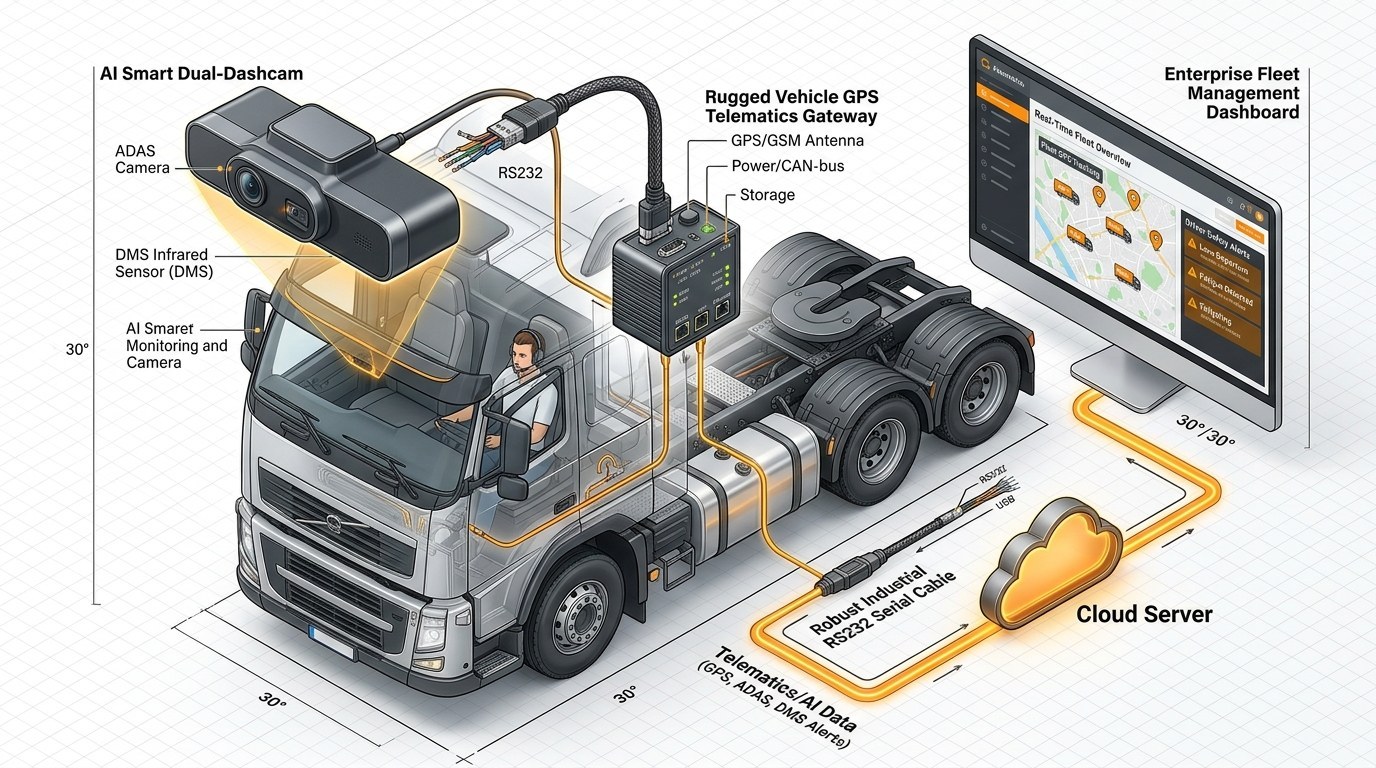
The four integration paths
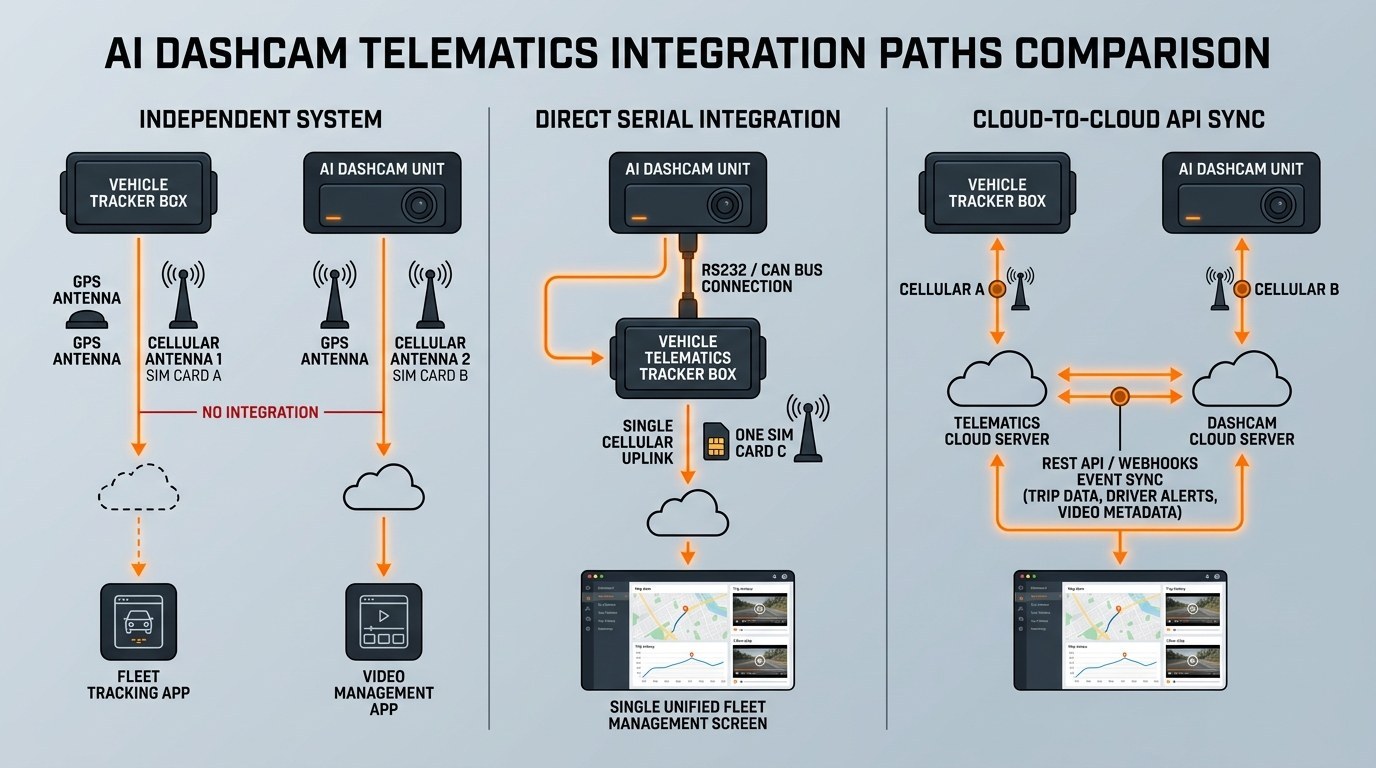
Ordered from shallowest to deepest. The right choice is the shallowest path that satisfies your actual requirement — deeper integration is not better, it is just more work and more coupling.
Path 1 — Independent system
ShallowestThe camera runs its own cloud. Two systems, two dashboards, no engineering.
The camera reports to its own platform. Your telematics platform continues doing exactly what it did. Operators sign into two systems when an incident needs reviewing.
Works when
- Safety and telematics are managed by different teams with different reporting lines
- Video review is a specialist function, not a daily operational task
- You want to evaluate a camera system before committing to integration work
Breaks when
- Dispatchers need video context during a live incident — they will not switch systems under pressure
- You need combined reporting, because the two datasets never join
- Your customers expect one login
Path 2 — Cloud / API sync
MediumBoth systems stay, but events and metadata move between them over an API.
The camera pushes events to its cloud; your platform pulls or receives them via an API and surfaces them alongside telematics data. This is the most common integration in practice, because it requires no hardware interface and no vehicle rewiring.
Works when
- You want events visible in your existing dashboard without touching the vehicle
- You have development resource, or the camera vendor publishes usable API documentation
- Latency of seconds to minutes is acceptable
Breaks when
- Connectivity is intermittent — events queue or arrive late
- The vendor's API is thin, rate-limited, or undocumented
- You need the platform to command the camera, not just receive from it
- Data residency rules prevent events leaving a region
Path 3 — Direct serial integration
What TSPs usually needA physical serial link between the camera and your gateway or platform hardware.
The camera connects to your telematics gateway, black box or MDVR over a serial interface — typically RS232 — and exchanges data directly. Events arrive in your platform because they are generated there, not synchronised there. This is the path that puts vision genuinely inside your architecture rather than beside it.
Works when
- You are a TSP adding vision to a platform you own
- You need low-latency event delivery in low-connectivity environments
- You want to preserve your existing GPS, dispatch and reporting infrastructure unchanged
- You need driver identification integrated with your existing badge or shift system
Breaks when
- The camera variant you ordered has no serial ports. This is a hardware decision made at purchase and cannot be corrected later
- Nobody on your side can read a pinout diagram or work a serial protocol
- The vendor will not release protocol documentation
- You did not plan the cable run or the power feed
Path 4 — Native / bundled platform
Deepest, least flexibleOne vendor supplies both telematics and vision as a single integrated product.
Genuinely the least engineering work, because the integration is the vendor's problem. That is a real advantage and worth paying for. The trade-off is coupling: you have effectively outsourced your platform roadmap, and migrating later means replacing both layers at once.
Works when
- You have no development resource and no intention of building one
- You want one contract, one support line, one accountable vendor
- Video and telematics are one combined programme with one owner
Breaks when
- You need a capability the vendor does not offer — you cannot bolt on a third party
- You want to renegotiate one layer independently
- You are a TSP yourself, in which case this path contradicts your business model
The interfaces, explained
If you are taking Path 2 or 3, these are the connectors and standards you will be choosing between. They are not interchangeable, and the choice is usually driven by what the vehicle already exposes.
| Interface | What it is | Typically used for | Practical limit |
|---|---|---|---|
| RS232 | Point-to-point serial. One device per port. | Gateway and peripheral links: telematics boxes, GPS units, RFID badge readers, sensors | Short cable runs, and one device per port — which is why dual-port variants exist |
| RS485 | Differential serial, multi-drop. Many devices on one bus. | On-vehicle sensor networks where devices are daisy-chained | Needs correct termination; less common than RS232 for single-peripheral links |
| CAN bus / J1939 | The vehicle's own network. Carries engine and body data. | Reading vehicle data: speed, RPM, fuel, brake status, fault codes | Requires the vehicle to expose the bus and the correct protocol variant; on trucks usually a 9-pin connector |
| IO trigger inputs | Simple digital on/off signals. | Turn indicators, reverse gear, brake, door — used to trigger recording and events | Signal only, no data. You learn that a state changed, not what the vehicle was doing |
| CVBS output | Analogue composite video out. | Live feed to an in-cab monitor for the driver | Not a recording channel, and not for data integration |
| Cloud / REST API | Events and metadata over HTTP. | Platform-to-platform sync, dashboards, third-party reporting | Depends entirely on connectivity and on how good the vendor's API documentation is |
Serial integration and CAN bus are not alternatives to each other — they do different jobs. RS232 links your camera to your gateway. CAN bus reads the vehicle itself. If your requirement is "flag every time the left indicator comes on", that is an IO trigger or a CAN signal. If your requirement is "send driver ID and alarm timestamps from the camera into my platform", that is serial. Teams that treat these as one decision usually end up buying hardware that does half the job.
What data flows, and in which direction
"Bidirectional" is the word vendors use, and it is worth unpacking because the two directions carry very different things.
| Direction | Typical payload | Why it matters |
|---|---|---|
| Camera → platform | Alarm timestamps, event type, driver ID, video trigger flags, GPS position, speed at event | This is what makes safety events appear inside your existing reporting instead of in a separate system |
| Platform → camera | Driver identity and shift status, configuration and threshold updates, trigger commands, time sync | This is the direction most integrations forget. It is what lets your platform control the camera rather than just observe it |
The inbound direction is where integration earns its keep. If your platform can push driver identity to the camera, then a driver badge network already in place can be reused — the camera knows who is driving without a second identification system, and shift-time violations can trigger alarms. That is a meaningful operational capability, not a data nicety.
IO triggers: the underused half of integration
Serial interfaces get the attention, but discrete IO trigger inputs are often more immediately useful on commercial vehicles, because they turn existing vehicle signals into recording context.
The common three are left turn, right turn and reverse gear. Each one lets the system do something it otherwise could not:
- Turn signals — confirm whether an indicator was actually active at the moment of a lane-change dispute. This is one of the few pieces of evidence that settles a side-swipe argument outright.
- Reverse gear — trigger or prioritise recording during manoeuvring, which is where a large share of low-speed depot damage happens and where drivers most often need a live view.
Two design notes. First, these are inputs, not data — you get a state change, and correlating it to a specific incident still depends on accurate time sync. Second, trigger inputs are usually a higher-tier hardware feature: on many product families the entry variant has none. If triggered recording is part of your requirement, it constrains which variant you buy.
Power, wiring and the quote-revision problem
This is the part of integration that most often goes wrong commercially rather than technically, and it is worth raising at the specification stage rather than the installation stage.
External devices need power
Peripherals — external cameras, sensors, driver alert actuators — frequently need their own supply rather than drawing from the main unit. Some hardware solves this by providing auxiliary outputs directly: a 12V and a 5V rail on the unit itself, which will run cameras, sensors and driver alert devices without a separate converter. Where that exists it simplifies the install considerably. Where it does not, you are adding fusing, conversion and harness work.
Confirm the auxiliary power architecture in writing before installation is priced. An install quote that assumed the unit powers its own peripherals, when in fact each peripheral needs a fused feed, is the single most common reason a fleet project goes over budget between purchase order and completion.
The cable run is a real cost
Serial and trigger wiring has to physically reach from the camera position to the gateway position. On a van that is trivial. On a rigid truck or a bus, with routing through bulkheads and articulation points, it is a technician-day conversation. Plan the route before you order the harness.
Time sync is not optional
Every integration in this article depends on timestamp alignment between the camera and your platform. Correlating a safety event to a tachograph record or a dispatch entry is only possible if the clocks agree. Confirm how time sync happens, and check it after the pilot — not after the incident.
Integration readiness checklist
Before you order hardware for any integration path, get written answers to these. If a vendor cannot answer them, that is your answer.
- Which variants have serial interfaces, and how many ports? Establish this first — it is decided at purchase and cannot be added later.
- What protocol runs over the serial link, and is the documentation released? Ask for the protocol document, not a promise of one. Undocumented protocols turn a two-week integration into a two-month one.
- Is the pinout published? A proper installation and wiring manual with pin assignments is the difference between your technician wiring it and a support ticket chain.
- What does the camera send, and at what frequency? Alarm events only, or continuous telemetry? This drives both integration design and cellular data cost.
- Can the platform write to the camera? Configuration, thresholds, driver identity, time sync. Ask explicitly, because not all "integration" is bidirectional despite the marketing.
- How is the driver identified? Badge, RFID, PIN, or platform-pushed identity — and can it reuse what you already run?
- What auxiliary power is available on the unit? 12V, 5V, both, or none.
- What happens to data if the link fails? Local buffering and replay, or silent loss?
- Is there an API and is it documented? Even if you take the serial route, an API is useful for reporting.
- Can you supply a sample unit with the protocol document for bench testing? Any vendor confident in their integration story will say yes. Test on a bench before you test on a truck.
Why the hardware variant decides everything
To make the variant problem concrete, here is how it works within a single product family. This is the MR700 AI Dashcam series, which we manufacture — so treat the specifications as factual and the commentary as our view.
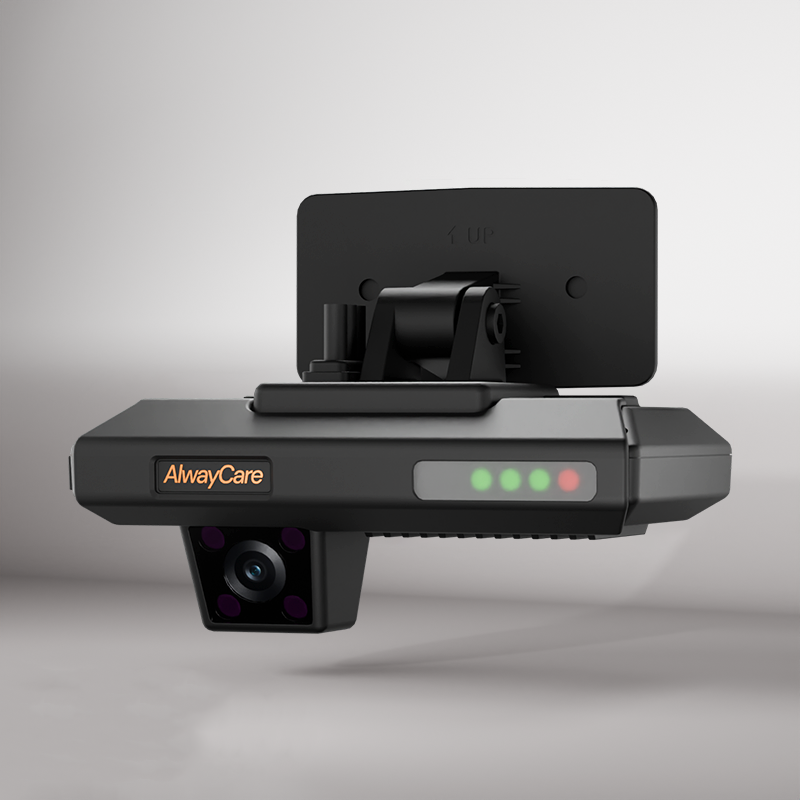
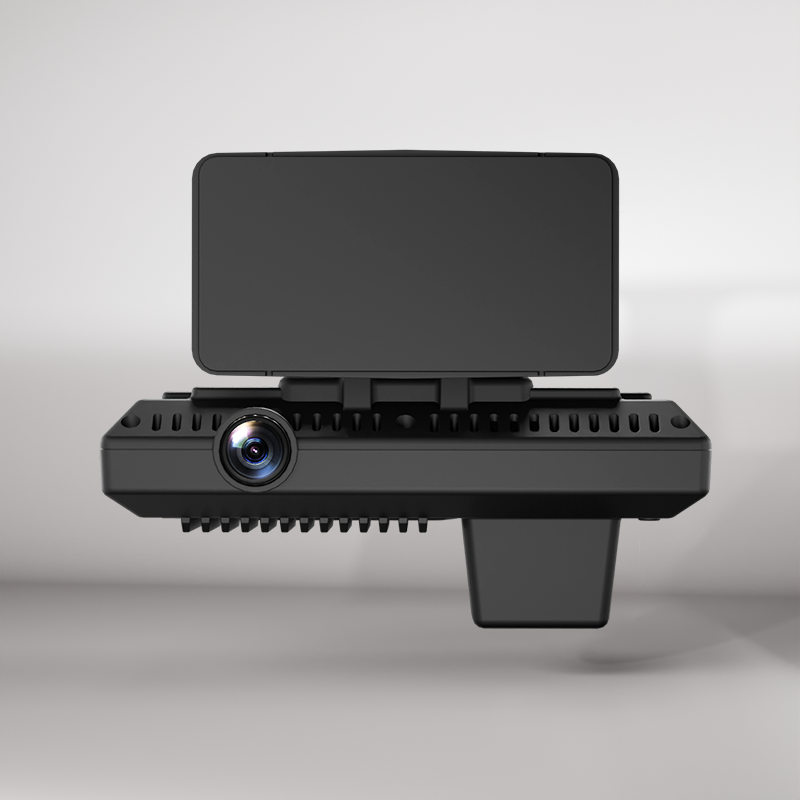
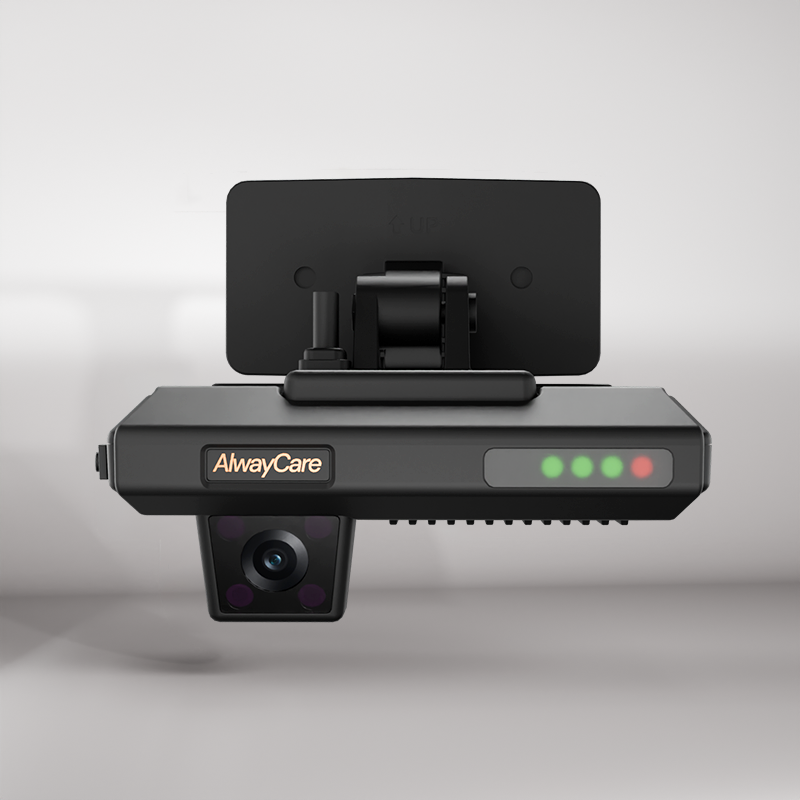
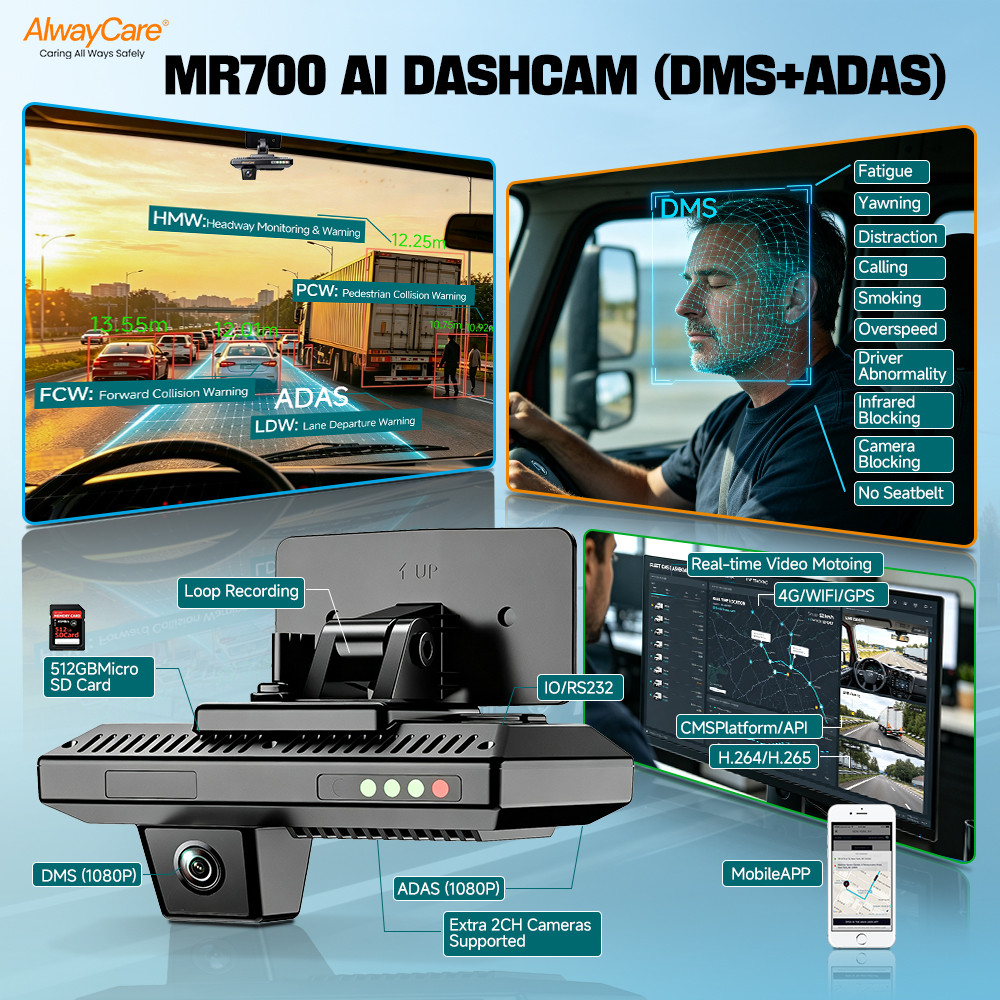
| Feature | MR700-SV | MR700-PV | MR700-V3 | MR700-V4 |
|---|---|---|---|---|
| Recording channels | 2 (road + cabin) | 2 (road + cabin) | 3 (+1 external) | 4 (+2 external) |
| RS232 serial ports | None | 2 | 2 | 2 |
| IO trigger inputs | None | None | 3 (turn L/R, reverse) | 3 (turn L/R, reverse) |
| Auxiliary power out | None | None | 12V + 5V | 12V + 5V |
| CVBS monitor output | None | None | 1 channel | None |
| IO signal output | 1 | 1 | 1 | 1 |
| Positioned for | Light commercial, taxis, ride-hailing, company cars | Telematics integrators, TSPs, dual-MDVR setups | Delivery box trucks and shuttles needing an in-cab monitor | Heavy haulage, hazmat tankers, mining |
Three things follow from that table, and they generalise well beyond this product:
- The integration variant is not the cheapest one. MR700-SV has no serial interfaces at all — it is the right unit for a light fleet that will never integrate, and the wrong unit for a TSP. If integration is on your roadmap, buying the base variant to save money costs you the whole capability.
- Two serial ports is a deliberate design choice, not padding. Point-to-point serial means one device per port. Two ports lets you connect, for example, an existing GPS or telematics box and a sensor or badge network without a multiplexer.
- Integration depth and channel count are separate axes. The PV has full RS232 integration but only two channels. The V4 has four channels plus RS232 plus IO triggers. If you need both deep integration and multi-camera coverage, that narrows the choice considerably — and it is much cheaper to work that out before ordering than after.
Shared across the range: H.264/H.265 recording, GPS/BDS/GLONASS positioning, 4G LTE Cat 4 with regional module options, 2.4 GHz Wi-Fi, Micro SD storage up to 512 GB, 6-axis G-sensor, FCW/LDW/HMW/PCW warnings, SOS alarm, and a metal-alloy casing rated for −20°C to +70°C on 12/24V. For OEM and ODM programmes, API and protocol documentation and cloud CMS white-labelling are part of the offering — which matters if you are building a product rather than deploying one.
Five integration mistakes
1. Buying the variant before defining the requirement
The most expensive mistake, because it is the only one that cannot be fixed in software. Define your integration path and interface requirements first, then find hardware that meets them.
2. Treating "integration" as one thing
"It integrates with telematics platforms" can mean anything from a CSV export to a documented bidirectional serial protocol. Ask which, and ask for the document.
3. Forgetting the inbound direction
Many teams plan only how events get out of the camera. If your platform cannot push driver identity and configuration in, you have monitoring without control, and you will build a second identification system you did not need.
4. Underestimating installation
Cable routing, fused feeds for peripherals and harness changes are labour, not accessories. Price them before the purchase order, not after.
5. Skipping the bench test
A pilot on one vehicle tells you whether the alerts are useful. A bench test with the protocol document tells you whether the integration works at all. Do the bench test first — it is a day of effort that prevents a fleet-wide rollback.
Frequently asked questions
Can I add AI cameras to my existing fleet telematics platform without replacing it?
Yes. There are three ways to do it: run the camera as an independent system with its own cloud and accept two dashboards; synchronise events between the two clouds over an API; or connect the camera directly to your gateway or platform hardware over a serial interface such as RS232. The third gives the deepest integration and is what most telematics service providers want, because events arrive inside the platform rather than being copied into it. The one hard requirement is that the camera hardware you buy actually has the serial interfaces — on many product families that is an optional variant, and it cannot be added later.
What is RS232 used for in vehicle telematics?
RS232 is a point-to-point serial standard, and in vehicle telematics it is most commonly used to link a device to a peripheral: a telematics gateway or black box, an existing GPS unit, or an RFID driver badge reader. Its main practical constraint is that it is one device per port, which is why units intended for integration usually provide two ports — so a gateway and a sensor network can both connect without a multiplexer. RS232 is not the same thing as CAN bus: RS232 connects your equipment to each other, while CAN bus reads the vehicle's own network.
What is the difference between RS232, RS485 and CAN bus?
RS232 is point-to-point serial over short runs, one device per port, and is the usual choice for connecting a camera to a gateway or a single peripheral. RS485 is differential and multi-drop, so several devices share one bus over longer distances, which suits on-vehicle sensor chains. CAN bus is the vehicle's own network, carrying engine and body data such as speed, RPM, brake status and fault codes — reading it requires the vehicle to expose the bus and the correct protocol variant. In practice a fleet integration may use all three: CAN for vehicle data, RS232 for the gateway link, and IO triggers for simple state signals.
Do external cameras need their own power supply?
Often yes, which is why some units provide auxiliary power outputs — commonly a 12V and a 5V rail — that can run external cameras, sensors and driver alert devices without separate converters. Where those outputs exist, installation is simpler and the quote is more predictable. Where they do not, expect additional fusing, conversion and harness work. Confirm the auxiliary power architecture in writing before installation is priced, because this is the most common reason a fleet hardware project exceeds its original budget between order and completion.
What is an IO trigger input used for on a fleet camera?
IO trigger inputs accept simple on/off electrical signals from the vehicle and use them to trigger recording or flag events. The three most common on commercial vehicles are left turn indicator, right turn indicator and reverse gear. Turn signal inputs help settle lane-change and side-swipe disputes by confirming whether an indicator was active; reverse gear inputs prioritise recording during manoeuvring. They carry state only, not data, and they depend on accurate time sync to be useful when correlated with an incident. Note that trigger inputs are often a higher-tier hardware feature, so if triggered recording is a requirement it constrains which variant you buy.
What should I ask a camera vendor before buying for integration?
Nine things, and you should get written answers. Which variants have serial ports and how many. What protocol runs over the link and whether the documentation is released. Whether the pinout is published in a wiring manual. What the camera sends and how often. Whether the platform can write back to the camera — configuration, thresholds, driver identity, time sync. How drivers are identified and whether it reuses your existing badge system. What auxiliary power the unit provides. What happens to data if the link fails. And whether they will supply a sample unit with the protocol document for bench testing. A vendor confident in their integration story will say yes to the last one.
Is integration better than buying telematics and cameras from one vendor?
It depends on whether your platform is a strategic asset or a utility. If you are a telematics service provider, or a fleet whose dispatch, compliance and payroll all run on one platform, integration preserves that investment and keeps the two layers separately renegotiable. If you have no development resource and no intention of building any, a single bundled vendor is genuinely the lower-effort answer, and the integration is their problem rather than yours. The trade-off with bundling is coupling: you have effectively outsourced your platform roadmap, and changing direction later means replacing both layers at once.
Working out how many channels you need alongside the integration? That is a separate decision and it constrains the variant choice, because integration depth and channel count do not always scale together. Our guide to 2CH, 3CH and 4CH fleet dash cam configurations covers it, and if the channel count is pushing you beyond four, MDVR versus dash cam explains where the architecture changes. For the distinction between the functions you are integrating, DMS vs ADAS vs AI dashcam sets out which detection does what.

