How to Choose a DMS for Your Fleet: A Practical Buyer’s Guide
A fleet should choose a Driver Monitoring System (DMS) by matching it to its vehicles, operating conditions, safety workflow, and data-governance requirements—not by comparing feature lists alone. Define the driver behaviors to monitor, test alert accuracy in real cab conditions, confirm integrations and privacy requirements, then run a structured pilot before scaling.
Last updated: 2026-11-03 · By the AlwayCare Engineering Team
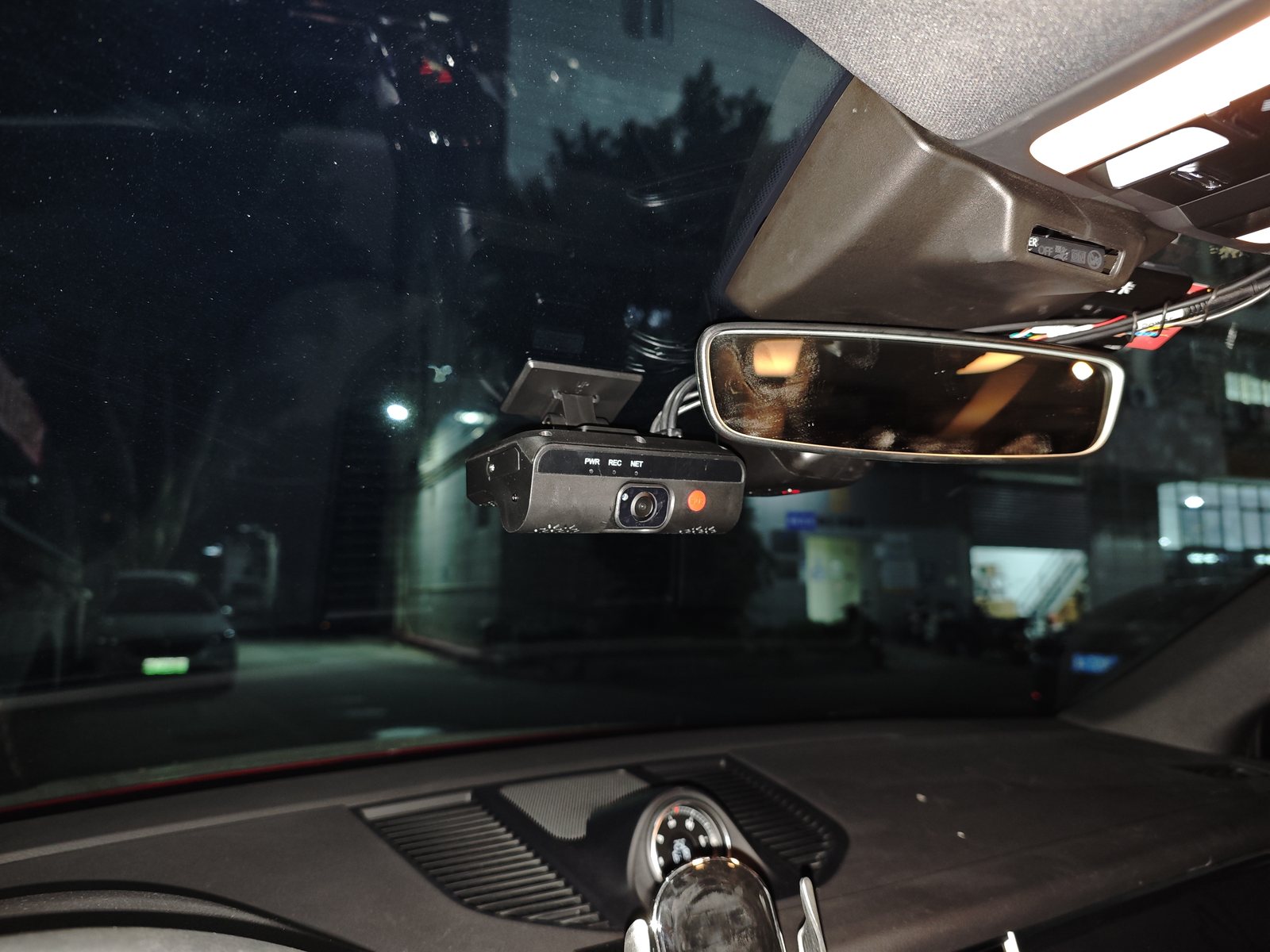
A Driver Monitoring System uses sensors or cameras to identify driver-state conditions—such as signs of fatigue or distraction—and provide an alert or event record, depending on configuration. The key question is not simply whether a system offers “AI detection.” It is whether it can detect relevant events reliably, alert drivers appropriately, fit the vehicles, and support a workable review process.
Start with the problem your fleet needs to solve
Before comparing vendors, identify the operational problem the DMS should address. A long-haul fleet, city bus operator, and construction-vehicle fleet may have different driving patterns, cabin layouts, and alert requirements.
- Which driver behaviors or events are in scope?
- Which vehicles, routes, shifts, and driver groups should be included?
- Is the priority an in-cab warning, post-event review, fleet-manager visibility, or a combination?
- Who will review events, and what action should follow an alert?
- Which existing cameras, telematics platforms, or vehicle systems must remain?
A clear use case prevents feature creep. Fleets needing immediate in-cab alerts may evaluate local processing differently from those primarily using event clips for later review.
Compare DMS, ADAS, and MDVR correctly
DMS, ADAS, and MDVR are related but not interchangeable. A device may combine several functions; the labels alone do not confirm what is included. Ask for the exact model, hardware, software, licenses, accessories, and configuration in the quotation.
| System | Primary focus | Questions to ask |
|---|---|---|
| DMS | Driver state, such as fatigue or distraction indicators | What can it detect, and how are warnings delivered? |
| ADAS | Road and vehicle surroundings, such as forward collision or lane-related events | Which road-facing functions are included and enabled? |
| MDVR or AI dashcam | Video recording, storage, and sometimes connectivity or analytics | How many channels are supported, and where are events stored? |
Test detection and alerts in real cab conditions
Evaluate performance in the vehicles and conditions where the system will operate. A showroom demonstration may not represent the fleet’s working environment. Test representative cab layouts, seat positions, mounting locations, daylight, nighttime, glare, driver heights, normal seating variation, common eyewear, road vibration, and alert audibility.
Ask which events the system is designed to detect, how alerts work, what may affect detection, and how installation or software changes are managed. Record both missed detections and false alerts during the pilot. Frequent false alerts can reduce driver trust and add supervisory work, so assess the whole workflow rather than relying on a single accuracy claim.
Confirm vehicle fit and integration
Compatibility involves more than physical installation. Confirm power and wiring; camera position, field of view, and driver visibility; interfaces with existing telematics or MDVR; event triggering and data transfer; storage and retention; and installation, calibration, and replacement procedures.
Request a vehicle-by-vehicle configuration list. “Compatible” should mean the setup has been checked against the fleet’s actual vehicle models and interfaces—not just that a connector appears to fit.
Define how the fleet will use DMS data
Decide who can view events, who investigates them, how drivers can raise a concern, and how recurring issues are handled.
- Define which events are reviewed and by whom.
- Review relevant context before interpreting an event.
- Set out when a manager should speak with a driver or take another action.
- Document how disputed or incorrect events are handled.
- Measure event-review workload and operational usefulness.
DMS data is not a complete assessment of a driver or a substitute for context. Do not treat an isolated event as a conclusion without reviewing circumstances and following fleet policy.
Review privacy, access, and local requirements
Document what the system collects, when it collects it, where data is stored, who can access it, and how long it is retained. Establish how drivers will be informed and how concerns or access requests will be handled.
Requirements vary by jurisdiction, vehicle category, and system type. In the EU, specific rules apply to driver drowsiness and attention warning systems in relevant vehicle type-approval contexts. These rules should not be assumed to certify an aftermarket fleet camera or DMS. Confirm applicable requirements with the supplier and compliance team. See EU Delegated Regulation 2021/1341 and the European Data Protection Board video-device guidance.
Run a pilot with agreed success criteria
Include representative vehicles and routes, and agree evaluation criteria before starting. Track installation and calibration issues; relevant alerts; false alerts and missed events; driver feedback and alert comprehension; event-review time; integration, connectivity, and storage issues; and support or maintenance needs.
Set thresholds for your own use case instead of relying on a generic benchmark. A pilot should test not only whether the equipment works, but also whether staff can use it consistently and drivers understand its alerts.
Compare total cost, not just device price
Include installation, accessories, software or connectivity, storage, training, maintenance, calibration, replacements, and staff time for event review. Ask suppliers for comparable quotes covering the same vehicle count, configuration, support period, and data services.
Which DMS setup may fit your fleet?
- Standalone DMS: May suit fleets retaining existing recording or telematics. Confirm interfaces and integration requirements.
- Integrated DMS with ADAS or recording: May suit fleets seeking multiple functions in one installation. Confirm what is included, licensed, and enabled.
- DMS connected to an MDVR: May suit fleets needing driver-monitoring events alongside multi-channel video. Check channel capacity, storage, and event workflow.
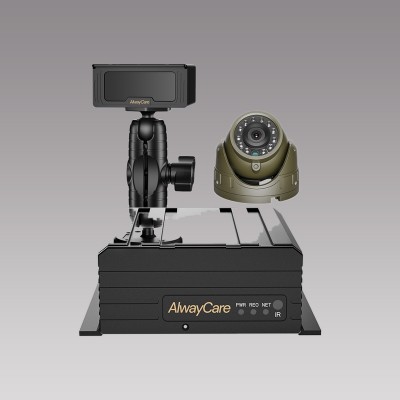
AlwayCare’s DMS product range includes standalone and integrated options with different combinations of monitoring, recording, and connectivity. Treat these as examples, not a guarantee that every feature is standard on every unit. Confirm the vehicle-specific configuration. See the MR830 product page for one integrated example.
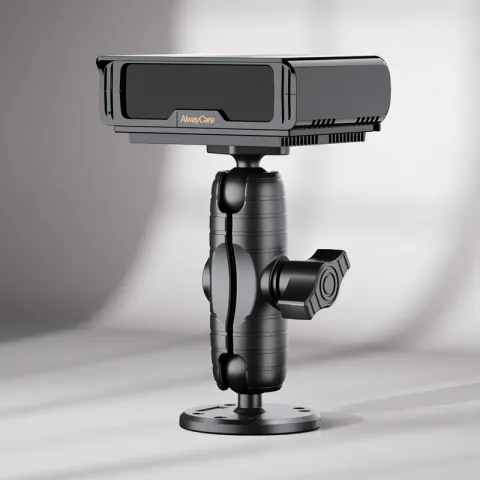
MR810 vs. MR830: Published specifications compared
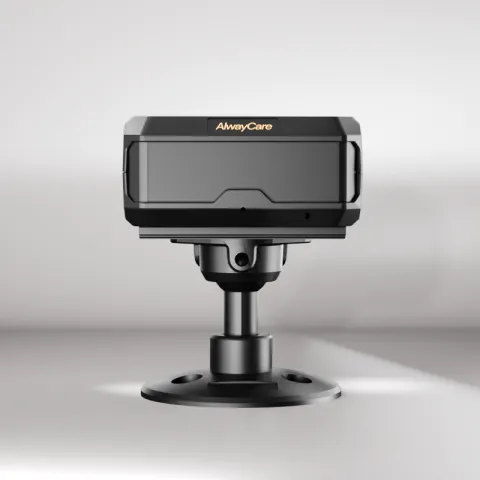
The table below summarizes specifications published on AlwayCare’s product pages. MR830 ADAS/BSD functions depend on the exact model version and quoted configuration; confirm the selected functions before ordering. This is a specification comparison, not a claim of comparative detection performance.
| Specification | MR810 | MR830 |
|---|---|---|
| System type | Standalone DMS | All-in-one DMS; ADAS/BSD availability is configuration-dependent |
| Published driver-alert description | Fatigue, distraction, smoking and phone-use alerts | Driver alerts; confirm the exact enabled alert set for the quoted version |
| Video recording resolution | 1280 × 720 | 1920 × 1080 |
| Wireless communication | Wi-Fi | 4G or Wi-Fi, according to selected configuration |
| Local storage | Up to 512 GB TF card | Up to 512 GB TF card |
| Positioning | GPS + BeiDou dual-mode | GPS + BeiDou dual-mode |
| Vehicle voltage | 12/24 V | 12/24 V |
| Interface option | I/O or RS232 | I/O or RS232 |
| Operating temperature | −20 °C to 70 °C | −20 °C to 70 °C |
| Other published detail | H.264/H.265 video encoding | 105 × 72 × 163 mm product dimensions |
Choose between them based on the alert set, recording detail, connectivity, and vehicle integration required. Confirm all options and interfaces against the final quotation.
DMS selection checklist
- Does the system address a defined fleet use case?
- Have we tested it in representative vehicles and operating conditions?
- Are alerts understandable and practical for drivers?
- Are vehicle compatibility and integrations confirmed in writing?
- Do we know what data is collected, who can access it, and how long it is retained?
- Have we assigned event review and follow-up responsibilities?
- Have we evaluated installation, service, and ongoing costs?
- Did the pilot meet the criteria agreed in advance?
Frequently asked questions
What should a fleet look for in a DMS?
Look for fit with operating conditions, relevant detection and alerts, vehicle and system compatibility, manageable event review, clear data controls, supplier support, and total cost. Validate key requirements in a pilot.
Is DMS the same as ADAS?
No. DMS focuses on driver state; ADAS focuses on the vehicle’s surroundings and driving environment. Some products combine both, but functions depend on model and configuration.
Does a DMS need a camera?
Not every driver-monitoring system uses the same sensing approach. Check sensors, camera placement, processing, and data behavior. If video or other personal data is used, assess privacy and notice requirements before deployment.
How long should a DMS pilot last?
There is no single duration for every fleet. Cover enough representative shifts, routes, drivers, and lighting conditions to evaluate the agreed criteria. Extend the pilot if important conditions remain untested.
Does buying a DMS make a fleet compliant?
Not by itself. Applicability depends on vehicle, system type, jurisdiction, and deployment context. Ask for relevant documentation and have the fleet’s compliance team verify the applicable requirements.
Bottom line: Define the use case, validate performance in a representative pilot, confirm vehicle-specific configuration and data controls, and compare total deployment cost. Explore AlwayCare’s DMS range as a starting point for configuration discussions.
For example layouts, equipment packages and the full DMS range in one place, see the driver monitoring solution for fatigue and distraction alerts.