360 Camera System for Trucks and Buses: Types, Components and How to Choose
360° Camera Guide
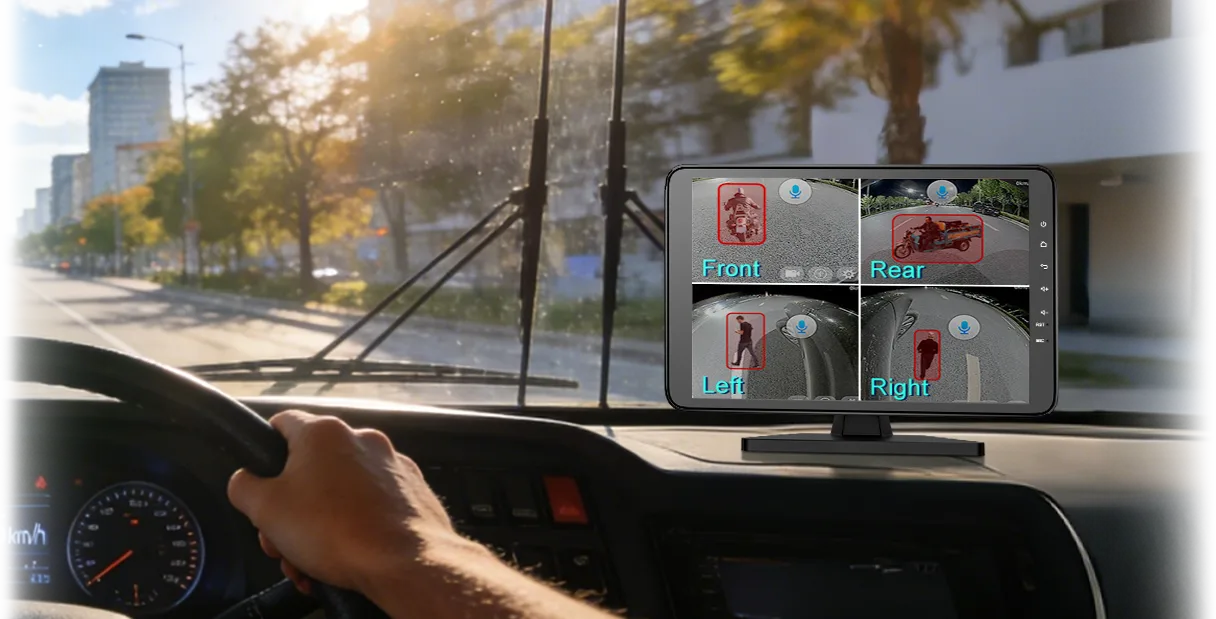
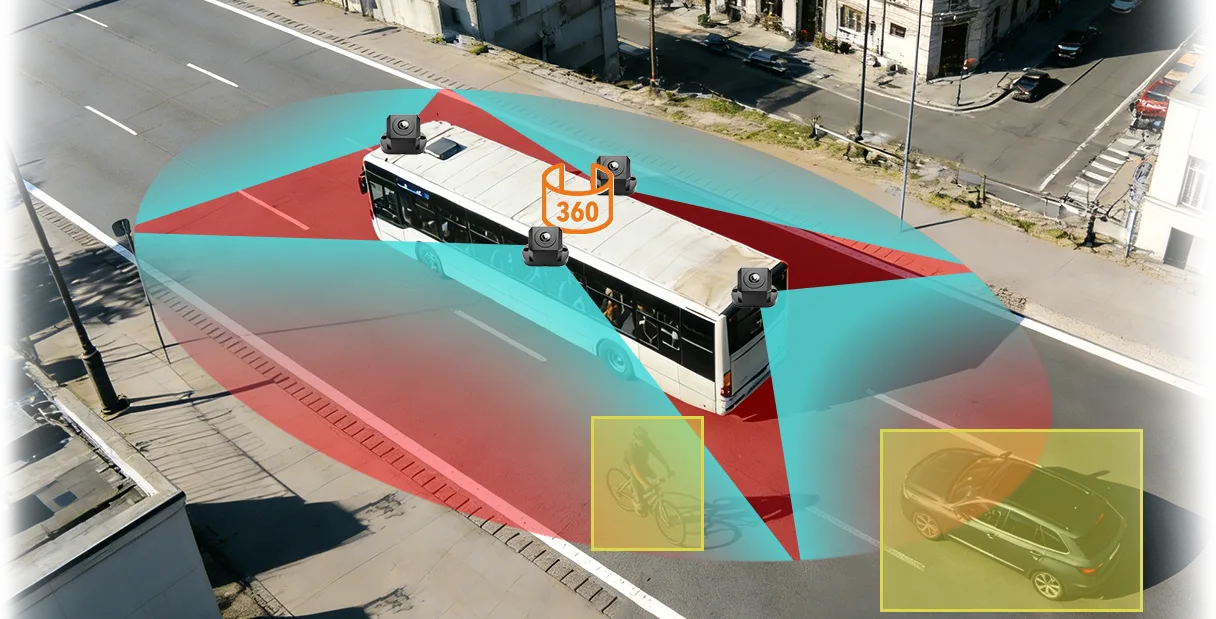
A 360° camera system joins the images from several cameras into one top-down view around a truck or bus. Systems differ in how many cameras they use, whether the screen and recorder are in one box and whether blind spot cameras are added. This guide compares the types and shows how to choose one for your vehicles.
What a 360° camera system includes
| Part | What it does | What to check |
|---|---|---|
| Cameras | Usually one each at the front, rear and both sides | Lens view, waterproof rating, cable length for your vehicle |
| Processing unit | Corrects the wide images and joins them | Number of channels, 2D and 3D views |
| Monitor | Shows the joined view to the driver | Screen size and where it can be mounted in the cab |
| Recorder | Stores video for review | Storage size, and whether it is built in or separate |
| Calibration | Lines up the images at the seams | Method and time needed for your vehicle size |
For how the stitched view works and where it can mislead the driver, read 360° Around-View Cameras for Commercial Vehicles.
Types of 360° system
| Type | What it is | Fits best when |
|---|---|---|
| Stand-alone around-view system | Cameras, processing unit and monitor made for the around-view job | You want a 360° view on a vehicle that has no recorder, or a simple add-on |
| Around-view system with BSD cameras | Around-view cameras plus extra blind spot camera channels | A long vehicle needs more cover along the sides |
| Around-view built into an AI MDVR | 360° view and BSD run on a multi-channel AI recorder with GPS and 4G | The fleet wants the view, recording and telematics from one unit |

AlwayCare 360° options
| Model | Form | Listed functions |
|---|---|---|
| M360-1 | 4-channel around-view system | 1080p, 2D and 3D display, stitched vehicle coverage, 12/24V, 512GB |
| M360-2 | 6-channel system | Four 1080p around-view channels plus two BSD camera channels, 12/24V, 512GB |
| M360-3 | 10.1-inch all-in-one monitor | 1080p, 2D and 3D display, 128GB, 12/24V |
| MR920-360B | 9-channel AI MDVR (8 AHD + 1 IPC) | 360° AVM and BSD, 4G, GPS/BDS, Wi-Fi, HDD/SSD up to 2TB |
| MR920-360BA | 9-channel AI MDVR | 360° AVM and BSD, 4G, GPS/BDS, Wi-Fi |
| MR930-DA360B | 13-channel AI MDVR (12 AHD + 1 IPC) | 360° AVM panoramic and BSD, 4G, GPS/BDS, Wi-Fi, HDD/SSD up to 2TB |
Specifications come from the product pages. Confirm channel count, cable length and fitting for your vehicle type in your quotation.
How to choose
- Measure the vehicle: length, whether it tows a trailer and where the blind zones are.
- Decide whether you need a 360° view only, or also recording, BSD and GPS.
- Match the channel count to the cameras you need. Long vehicles may need extra side channels.
- Check the power supply: 12/24V for the M360 range and DC 9–36V for the MDVR models.
- Plan the monitor position so the driver can see it without looking away from the road for long.
- Ask how calibration is done and how long it takes for your vehicle.
- Pilot on one vehicle and test with people and objects around it before a fleet order.
For a wider view of camera types, read Commercial Vehicle Camera Systems. For cable and compatibility choices, read AHD vs IP Vehicle Cameras.
Questions fleets ask about 360° camera systems
What is a 360 camera system for a truck?
It is a set of cameras around the vehicle whose images are joined into one top-down view on a monitor. It helps the driver see close to the vehicle during slow movement.
How many cameras does a 360° truck camera system need?
Four cameras, one on each side of the vehicle, is the basic layout. Long vehicles and vehicles with trailers may need more channels or extra blind spot cameras.
Does a 360° system replace mirrors or a spotter?
No. It is a camera aid. The driver still uses mirrors and direct sight, and the site decides when a spotter is needed.
Should I buy a stand-alone system or one built into an MDVR?
Choose a stand-alone system for a simple around-view add-on. Choose an MDVR model if you also want recording, BSD, GPS and 4G in one unit.
Can I fit a 360° system to a vehicle already in service?
Yes, on many vehicles. The cameras, cables and monitor are fitted and the system is calibrated. Your quotation confirms the plan for your vehicle type.
Summary
- A 360° system joins several camera views into one top-down image.
- Choose by vehicle length, channel count and whether you need recording and BSD.
- Calibration and camera position decide how well the image lines up.
- Pilot on one vehicle first.
See the 360° vehicle camera range or send an inquiry with your vehicle type and length.
For 360° around-view layouts, camera counts and systems for trucks and buses in one place, see the 360 vehicle camera system solution.