


A dash cam records one or two views from inside a vehicle. An MDVR records four to eight or more cameras across a truck or bus, stores far more footage, and feeds a fleet platform. If your fleet runs cars and vans, a dual-lens AI dashcam is often enough. If it runs trucks, buses, or any vehicle with large blind spots, an MDVR is the right tool.
What is a dash cam?
A dash cam is a compact camera, usually mounted on the windscreen. Most record the road ahead; dual-lens models add a cabin-facing lens. Modern AI dashcams detect fatigue, phone use, and other driver behaviors, and alert the driver in real time.
Installation is simple. Storage is an SD card. A dash cam is a good fit for cars, vans, and small delivery fleets that mainly need front-view evidence and driver alerts.
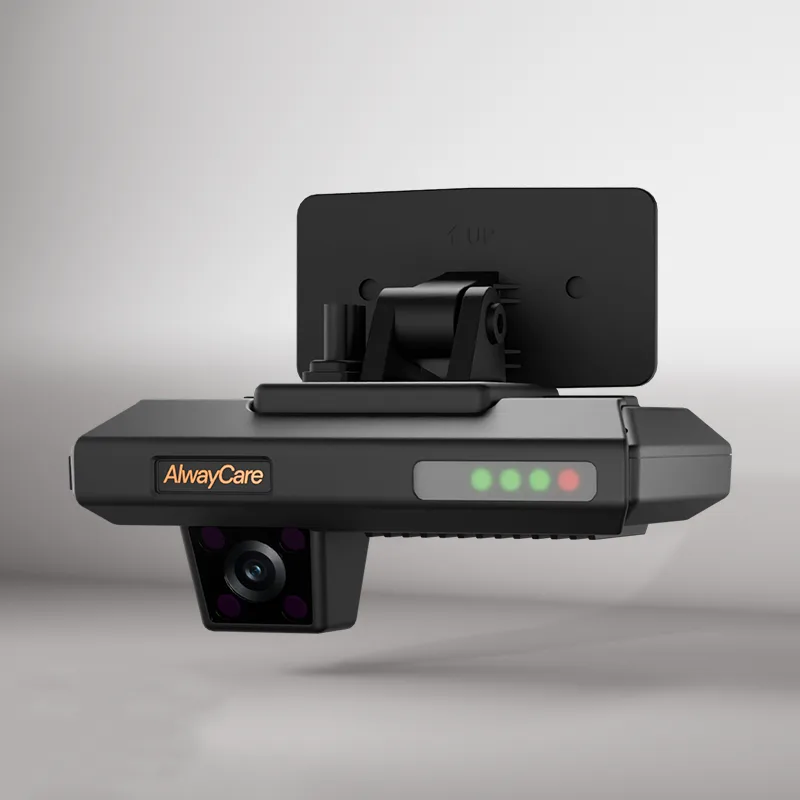
A dual-facing AI dashcam: road camera plus cabin lens in one device.
What is an MDVR?
An MDVR (Mobile Digital Video Recorder) is a hardwired recording system built for commercial vehicles. It connects 4, 8, or more cameras — front, rear, sides, cabin, and cargo — and records them together to a hard drive or SSD.
An MDVR is the central hub of a vehicle video system. It locks event footage automatically on impact, survives vibration and heat, and on 4G models can stream live video and upload events to a fleet platform.
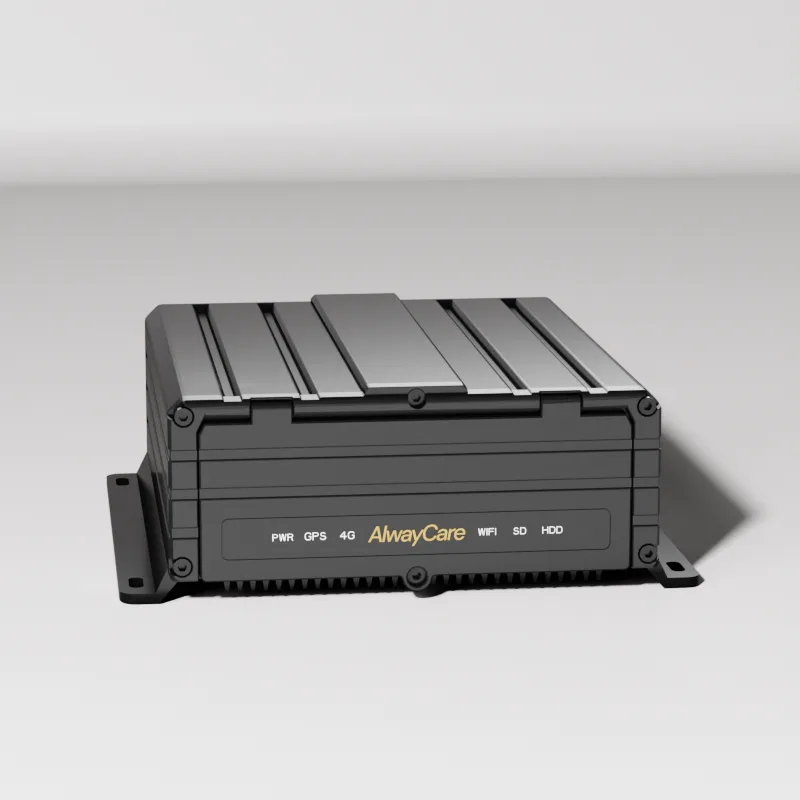
An MDVR unit: multi-camera inputs, vibration-rated storage, 4G option.
MDVR vs dash cam: the key differences
The main difference is coverage and scale: a dash cam watches one or two views; an MDVR records the whole vehicle.
| Factor | Dash cam | MDVR |
|---|---|---|
| Cameras | 1–2 built-in lenses | 4–8+ external cameras |
| Best for | Cars, vans, small fleets | Trucks, buses, heavy equipment |
| Storage | SD card (128–512 GB typical) | HDD / SSD, larger capacity |
| Installation | Windshield mount, plug-and-play | Professional wiring, camera planning |
| Video coverage | Road (and cabin on dual-lens) | All angles: front, rear, sides, cabin, cargo |
| Connectivity | Wi-Fi / app, some 4G models | GPS + 4G on fleet models |
| Durability | Consumer-grade | Vibration, dust, and heat resistant |
| Evidence scope | One viewpoint | Full scene from every camera |
Which system fits your fleet?
The right choice follows your vehicle types, not the price tag. Use this matrix as a starting point.
| Your situation | Recommendation |
|---|---|
| 1–3 cars or vans, front-view evidence only | Dash cam is enough |
| Delivery vans, driver coaching focus | Dual-lens AI dashcam |
| Any truck, trailer, or bus | MDVR — blind spots are a liability |
| Passenger transport (school bus, transit, coach) | MDVR — cabin and door coverage expected |
| Mixed fleet: vans + trucks | Hybrid: dash cams on vans, MDVR on heavy vehicles |
| Need live remote view of incidents | MDVR with 4G, or 4G AI dashcam for light vehicles |
A regulatory note strengthens this: the EU's General Safety Regulation now requires blind-spot recognition and pedestrian-collision warnings on new trucks and buses — side and rear coverage is shifting from optional to expected in major markets.
Two practical notes:
- Trailer and body length matter. A dash cam cannot see behind a trailer or around a box body. Side and rear cameras on an MDVR cover what mirrors cannot.
- You can start hybrid. Many fleets equip light vehicles with dashcams first, then roll out MDVRs on high-risk vehicles. Match the system to each vehicle's risk, not to a single fleet-wide budget.
How much storage does each system keep?
A dash cam loops over its SD card — often a few days of footage before overwrite. An MDVR records longer and keeps event clips locked by the G-sensor.
Storage needs depend on camera count, resolution, and codec. As a planning example with stated assumptions: a 4-camera system recording at 1080p with H.265 at roughly 2 Mbps per camera produces about 0.9 GB per camera per hour. Over a 10-hour working day, that is near 36 GB per day — roughly 720 GB per 20 working days. H.264 roughly doubles that. Your actual figure depends on bitrate settings, parking recording, and retention policy.
We publish this formula so you can adjust the assumptions. For a channel-by-channel storage plan, see our upcoming storage sizing guide, or send us your camera plan for an estimate.
Insurance and incident evidence
Insurers generally accept footage from both dash cams and MDVRs as claim evidence. What changes the outcome is coverage: a single front view shows what happened ahead of you; a multi-camera MDVR shows the whole scene — sides, rear, and cabin — which is often what a disputed claim turns on.
Requirements vary by insurer and country. If evidence is a primary reason for your purchase, confirm with your insurer which camera positions they expect to see before you order.
Honest limit: neither system prevents an accident on its own. Dash cams and MDVRs record and alert; they support safe operations — they do not replace driver training, mirrors, or safe-following practices.
Frequently asked questions
Can a dash cam replace an MDVR for a commercial fleet? For 1–3 standard cars or vans where front-view evidence is enough, yes. For trucks, buses, or any vehicle where side and rear blind spots are a liability, no — one viewpoint cannot cover what the mirrors cannot see.
Is an MDVR worth it for a small fleet? It depends on vehicle type more than fleet size. Two heavy trucks with trailers carry more blind-spot risk than ten sedans. Run the numbers on your most likely claim scenario — one disputed incident usually costs more than the system.
Can we mix dash cams and MDVRs in one fleet? Yes, and it is the common approach. Dash cams for light vehicles, MDVRs for trucks and buses. Some platforms can bring both feeds into one view — check compatibility before you buy.
Does an MDVR need internet to work? No. Recording works fully offline to the local drive. 4G models add live view, event upload, and remote retrieval — those features need a SIM card and coverage.
How long does an MDVR keep footage? Depends on camera count, resolution, codec, and drive size. With the assumptions in the storage section above, a 4-camera 1080p H.265 system needs about 36 GB per day — size the drive for your retention policy, and confirm media type and capacity in your quotation.
Choose your recording system with a channel plan
Send us your vehicle types and the camera positions you need — we will map them to a channel count, storage size, and a quotation that matches.
- Browse our Mobile DVR systems and AI MDVR for multi-camera recording.
- For light vehicles, see our AI Dashcam range and the guide AI Dashcams for Fleets: Warnings, Video and System Limits.
- Managing video across a fleet? Read Video Telematics for Remote Fleet Oversight and Driver Support.

