GPS Tracking Gaps and Unauthorized Vehicle Use: Causes, Checks and Controls
GPS Tracking Guide
Two problems show up in almost every GPS tracking fleet: breaks in the track, and vehicles used outside their purpose. A gap in the track usually comes from antenna position, power, mobile network or settings, and most of it can be found with a short sequence of checks. Unauthorized use and route deviations are a policy question first and a rules question second. This guide covers the causes and checks for data gaps, the rules that help manage private use and detours, and how to keep tracking data under control.

What a gap in the track looks like
| What you see | What it often points to |
|---|---|
| Straight line between two distant points | Reports stopped for a time, then resumed. The platform joins the two points |
| Missing section of a trip | No signal, no power or a device that was off during that period |
| Position jumping or drifting | Poor satellite view, such as under cover or near tall structures, or a hidden antenna |
| Device shows offline | Power, SIM, network or device fault. Check the last time it reported |
| Positions arrive late | Weak network with buffered data uploaded later, or a long reporting interval |
Common causes and what to check
| Cause | What to check | Who usually fixes it |
|---|---|---|
| Antenna position | Is the antenna under metal, a dark roof lining or a load? Can it see the sky? | Installer |
| Power supply | Voltage at the device, fuse, ignition wire and whether the battery is disconnected when parked | Installer or workshop |
| Ignition and wiring | Loose connectors, spliced wires and a device wired to a switched supply that drops out | Installer |
| Mobile network and SIM | Coverage on the route, SIM status, data plan and roaming settings | Fleet manager or SIM provider |
| Reporting interval | A long interval makes tracks look coarse. A short one uses more data | Platform administrator |
| Device settings and firmware | Server address, protocol settings and firmware version | Supplier or integrator |
| Platform and time settings | Time zone, filters on the map and report date range | Platform administrator |
For power and wiring checks on recorder installs, read Mobile DVR Installation: A Fleet Wiring and Test Checklist. For mobile data planning, read How Much 4G Data Does a Fleet MDVR Use?.
What happens without signal
Some devices store positions while there is no network and upload them when the connection returns. Others only send live data. This depends on the model and its settings, so ask your supplier how many positions the device can hold and how it sends them once it reconnects. A device that does not buffer will leave a real gap in the track.
A basic troubleshooting sequence
- Open the platform and find the last time the device reported.
- Check the power and ignition wiring at the device.
- Check where the antenna sits and whether the sky is visible.
- Check the SIM, the data plan and signal on the route.
- Check the reporting interval and server settings.
- Drive a short test route and compare the platform track with the real route.
Unauthorized use and route deviations
| Concern | Rule or report that helps | Data needed |
|---|---|---|
| Use outside working hours | Time schedule with an alert for ignition or movement outside it | Ignition status, position and time |
| Driving off the planned route | Geofence or route check with an alert on exit | Position and a defined area or route |
| Long stops in unplanned places | Stop and idle report | Position, stop duration and engine status |
| Speed | Speed alert by vehicle or area | Speed and position |
| Mileage disputes | Trip and mileage report by vehicle | Trip history |
Rules show what the vehicle did. They do not show why. Review the report with the driver or manager before you act.
Set the policy before the rules
- State what private use, if any, is allowed and when.
- Tell drivers what is tracked, when and for what purpose.
- Decide how long tracking data is kept and who can view it.
- Check local employment and privacy rules for vehicle tracking before you switch rules on.
- Review alerts on a schedule and record how each is handled.
For the camera side of driver privacy, read Driver Monitoring and Privacy: How to Introduce Cab Cameras to Drivers and Employee Representatives.
Central visibility across vehicles and machines
- Use one platform for cars, trucks and machines where the devices support it.
- Group vehicles by site, team or vehicle type so reports are easier to read.
- Set user roles so dispatchers, managers and drivers see only what they need.
- Check which protocols each device supports before you mix suppliers. See Which Devices Can Connect to CMSV6.
- To connect separate systems without creating risk, read Fleet Data Silos: How to Connect Systems Without Creating Risk.
Keeping tracking data under control
- Give each user their own account and remove accounts when people leave.
- Limit who can export data and who can change rules.
- Set how long tracks and video are kept and delete data on schedule.
- Control SIM cards and device access so devices are not moved between vehicles without a record.
- Ask your platform supplier what access controls and logs the platform provides.
Downtime and machine availability
Position and working-time records show where a vehicle or machine is and how long it is in use. That helps dispatch the nearest unit and plan service by actual use. Engine hours and fault codes are available only when the vehicle or machine can output them, so confirm this per model.
For choosing and using a tracking system, read GPS Fleet Tracking Systems: How to Choose and Use Them. For how a tracking device works, read Vehicle Tracking System: How It Works, Device Types and What to Check Before Buying.
AlwayCare equipment to review
| Model | Type | Listed specifications |
|---|---|---|
| G405 | 4G GPS and BeiDou vehicle tracking terminal | See the product page for the parameters |
| MR700 | AI dashcam with ADAS and DMS options | 12/24V; 1920x1080; GPS; 4G or Wi-Fi; 512GB TF card; -20℃ to 70℃; warranty 15 months |
| MR920 | 9-channel AI mobile DVR for larger vehicles | 12/24V; 1920x1080; GPS and BeiDou; 4G or Wi-Fi; 512GB SD card; -20℃ to 70℃; warranty 15 months |
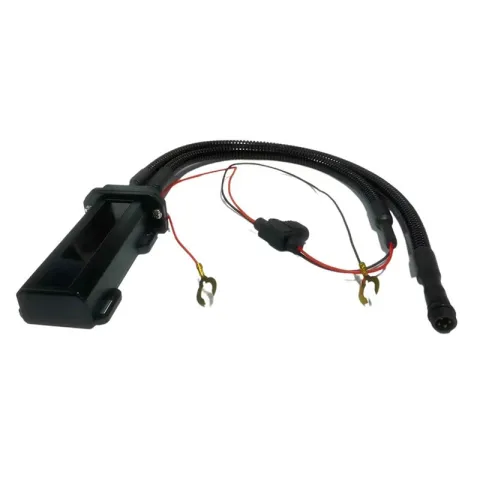 G4054G GPS & BeiDou Vehicle Tracking TerminalRequest a quote
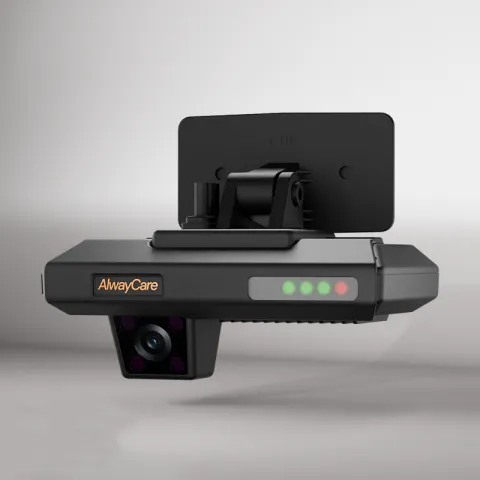 MR700AI Dashcam with ADAS and DMS for FleetsRequest a quote
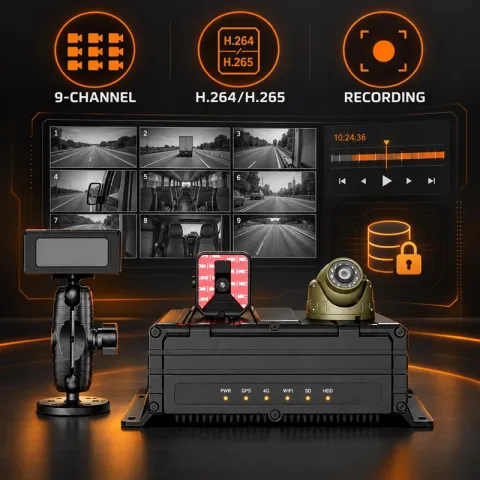 MR9209-Channel AI Mobile DVR for FleetsRequest a quote
Specifications come from the product pages. Your quotation confirms the configuration, platform support and fitting plan for each vehicle.
Questions about GPS gaps and vehicle use
Why does the track show a straight line between two points?
The platform joins the last point before a break and the first after it. The device may have had no power, no signal or a long reporting interval. Check the device log or the last report time.
Is position data lost when the vehicle has no signal?
It depends on the device. Some store positions and upload them later, others do not. Ask your supplier how the model you plan to use behaves and test it on your routes.
Can tracking be limited to working hours?
Platforms differ in what they allow. Ask about schedules, private-use modes and user roles, and check local rules and your own policy first.
How do we find private use or detours?
Use time schedules, geofences, stop reports and trip history, then review the result with the driver or manager. The data shows what happened, not why.
Do alerts control the vehicle?
No. Alerts notify people and record events. They do not stop, brake or steer the vehicle.
Key points
- Most track gaps come from antenna, power, network or settings. Check them in order.
- Ask whether a device stores positions when there is no signal.
- Write the tracking policy before you set the rules.
- Rules show what a vehicle did. Review with a person before you act.
- Control who can see, export and keep tracking data.
For fleet management, tracking and video platform options in one place, see the fleet management solution.