


Fleet Camera Maintenance: A Practical Inspection Checklist
Fleet camera maintenance should check the whole video path: camera view, mounting, cables, power, recording and authorized retrieval. A device that appears online can still have a blocked lens or a channel that is not recording as expected.
Build a short driver check and a separate technician inspection around the selected equipment's instructions. Keep a fault record that shows what failed, who owns the repair and how the system was tested before the case was closed.
This guide provides a practical starting checklist for commercial trucks, buses and worksite fleets. Adjust the schedule to the equipment documentation and actual operating conditions.
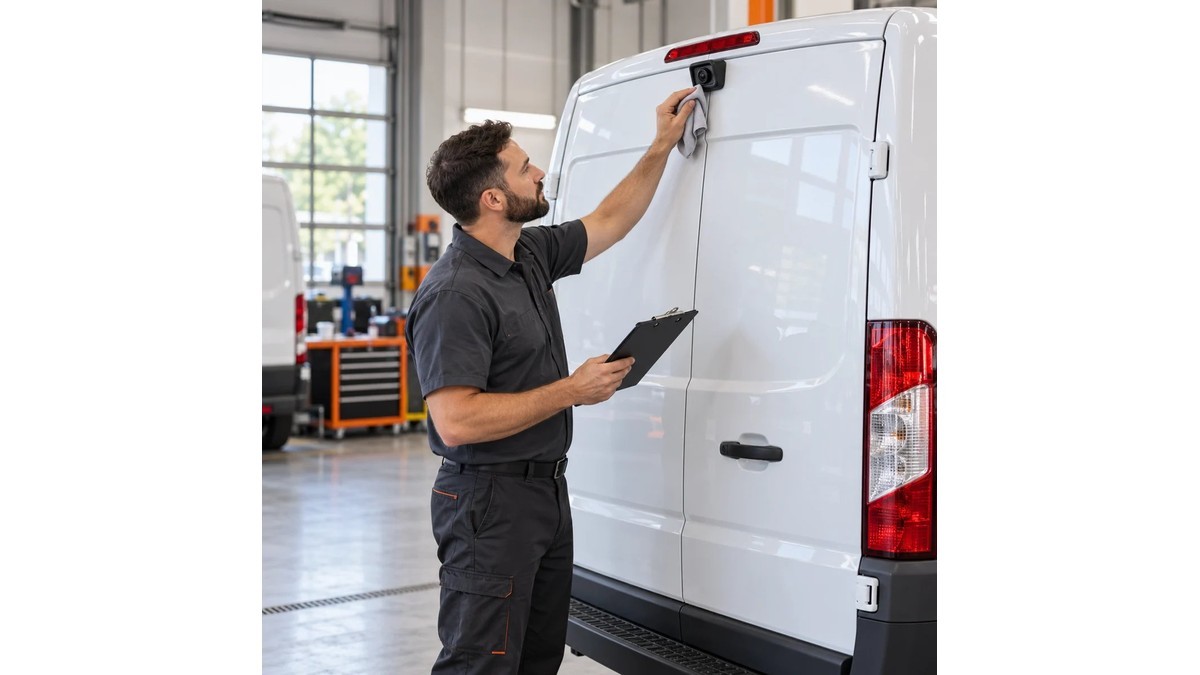
Establish a baseline for each vehicle
Keep an approved reference image for every camera view. Include the intended area, channel name and orientation. A reference makes it easier to identify a moved bracket or an obstructed view after later work on the vehicle.
Record the camera and recorder models, installation positions, cable labels, software version and relevant configuration. Keep installation photographs and the original acceptance test with the same vehicle record.
For the wider system structure, see Commercial Vehicle Camera Systems. Maintenance uses that structure to check each part of the installed system.
Give drivers a short pre-use check
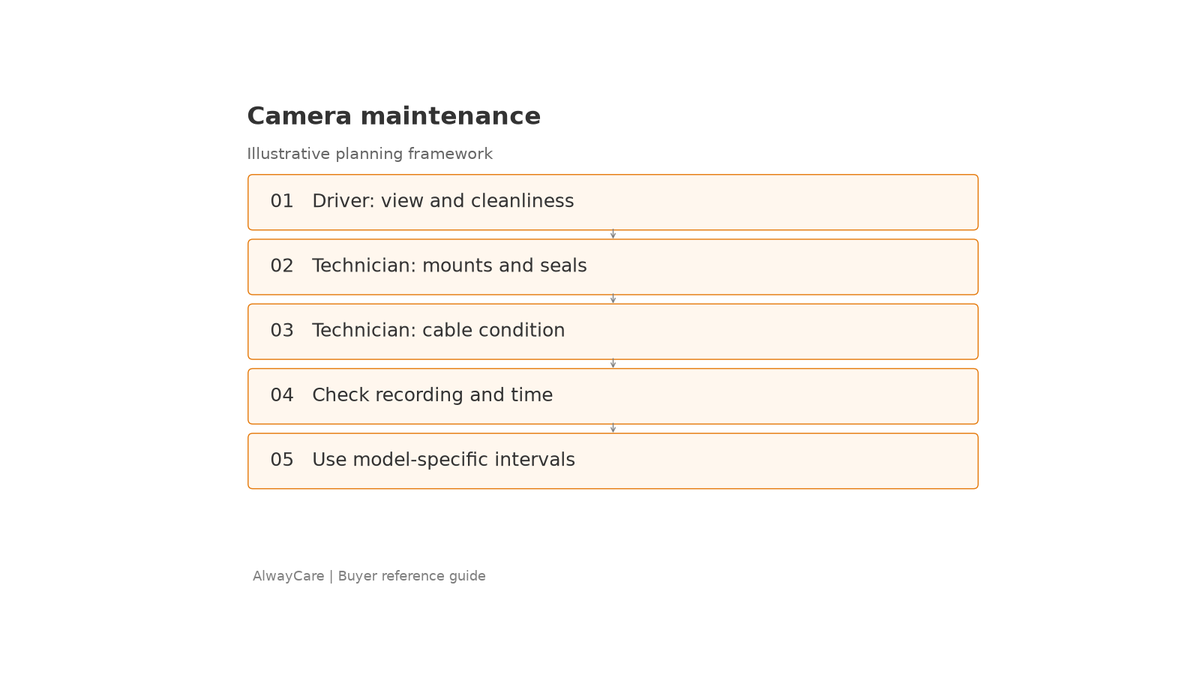
The driver check should focus on visible condition and the views needed for the assigned task. Train drivers to recognize a fault and report it without making unauthorized repairs or changing configuration.
| Driver check | What to look for |
|---|---|
| Required camera views | Correct image, channel and orientation |
| Visible lens condition | Dirt, damage or an obstruction |
| Camera position | A view that differs from the approved baseline |
| Monitor | Legible display and the required view available |
| Status indications | Unexpected warnings or faults described in the manual |
| Fault reporting | Vehicle, channel, symptom and time recorded |
HSE's inspection, maintenance and repair guidance recommends appropriate driver checks and planned maintenance, including equipment that supports visibility. Use this as a maintenance principle; the exact check and operating decision should follow the vehicle and site arrangements.
If a required visibility function is unavailable, follow the fleet's defined fault procedure before the vehicle is used for the affected task. Do not treat a working recording channel as a substitute for an unavailable driver view.
Clean optical surfaces with the approved method
Cleaning should follow the camera manufacturer's instructions for the lens or optical cover. Confirm the permitted materials, cleaning products and method rather than applying one procedure to every camera.
Inspect the view after cleaning. Some image problems only appear at night, when illumination interacts with contamination or nearby surfaces. For night-image assessment, use the camera's approved settings and compare the result with the acceptance baseline.
Set the cleaning frequency from the observed rate of contamination. A vehicle used in a dusty yard or frequently exposed to spray may need different attention from a vehicle operating mainly in sheltered conditions. Document those conditions instead of assigning a schedule only by country.
Inspect mounting, connectors and harness protection
A technician should check the installed hardware against its documented mounting and service requirements. Look for damaged brackets, loose fasteners, cable abrasion, strain, disturbed sealing and signs of water entry.
Use the vehicle and equipment instructions when working on electrical connections. Record what was repaired or replaced and confirm that the channel mapping still matches the fleet's labels.
Recheck views after body repairs, accessory changes or work near a camera. Even if the camera still produces an image, its field of view may have changed.
Do not assume that an environmental rating guarantees the complete installation. The condition of cables, connectors and mounting remains part of the inspection.
Test recording and retrieval independently of connectivity
Select a recent, known recording period and retrieve a sample from each channel in scope. Confirm that the file covers the intended interval, opens correctly and shows the expected timestamp and camera view.
If the system uses remote access, compare the documented local-recording and platform behavior. A connection fault and a recording fault are different problems and may need different owners.
| Technician check | Evidence to retain |
|---|---|
| Recorder and media status | Status result and any reported storage fault |
| Channel recording | Sample from every channel in scope |
| Timestamp | Comparison with a known reference time |
| Playback and export | File opened through the authorized workflow |
| Retention behavior | Review against the agreed configuration |
| Supported event recording | Sample event and associated recording, where applicable |
| Remote functions | Result separated from the local-recording check |
Use the Fleet MDVR Storage Calculator when changes to channel count or recording settings affect the retention plan. Confirm actual retained footage rather than relying only on a storage-capacity label.
Schedule checks around conditions and changes
Follow the manufacturer's maintenance requirements first. Add checks where operating experience reveals a recurring issue, and review whether the extra work resolves it.
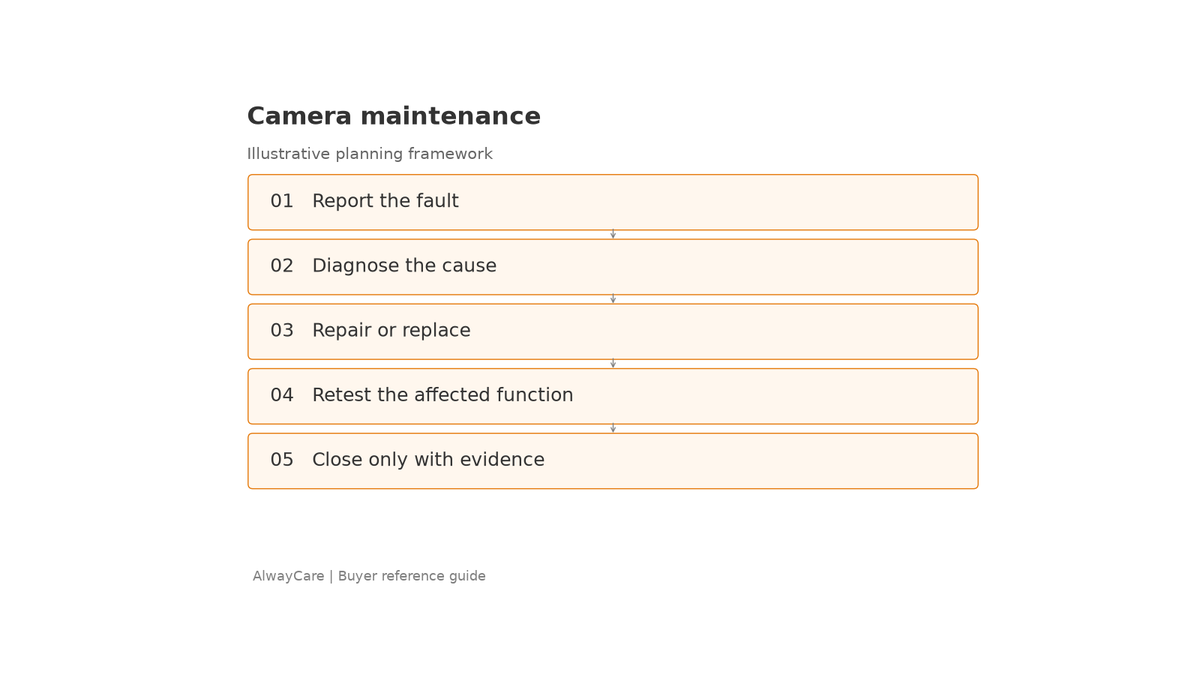
Useful triggers for an additional inspection include a collision, camera replacement, vehicle body work, repeated power interruptions, a software change or a reported image problem. Retest the functions affected by the change before closing the maintenance case.
For multi-country fleets, use a shared inspection form with local ownership. Identify who can supply compatible parts, who has authorized access and which technician can complete the handover test in each operating location.
Close faults with a verified repair
A useful fault report contains the vehicle identifier, affected channel, observed symptom, conditions, time and any permitted supporting image. The technician should add the cause found, corrective action and retest result.
For example, “rear image unclear at night after body repair” is more useful than “camera problem.” It points the inspection toward the final view, mounting and lighting conditions without assuming a cause.
Keep unresolved faults visible. If no cause was reproduced, record the checks performed and the next diagnostic action rather than labeling the system repaired.
AlwayCare's vehicle camera and Mobile DVR ranges can support a model-specific replacement review. Share the model, vehicle and recorded fault details with AlwayCare when discussing compatible parts or a revised configuration.
Frequently asked questions
How often should fleet cameras be inspected?
Use the equipment's maintenance instructions and the fleet's risk-based schedule. Keep a short pre-use check for required views, and add technician inspections according to conditions and reported faults.
Does an online recorder prove that all cameras work?
No. Check the image and retrieve recordings from the channels required by the project. Connectivity alone does not validate the full video path.
Should a camera be retested after replacement?
Yes. Verify compatibility, view, recording and any affected configuration. Keep the new acceptance record with the vehicle's maintenance history.

