Aftermarket Driver Monitoring for Trucks: Retrofit Checklist and Supplier Questions
Driver Monitoring Guide
An aftermarket driver monitoring system (DMS) is fitted to a truck after it leaves the factory. It watches the driver and warns about signs such as fatigue, distraction or phone use. Before you retrofit, check three things: whether it fits the cab and the power supply, which alerts the driver will actually notice, and what the supplier can show on your own vehicles.

What is an aftermarket driver monitoring system?
An OEM system is fitted by the vehicle maker as part of the vehicle. An aftermarket system is chosen and fitted by the fleet after delivery. It warns the driver and does not control the vehicle. Do not assume an aftermarket DMS carries the same approval status as a factory-fitted one, and do not assume it makes a fleet compliant. The DMS buyer's guide covers this point.
A retrofit is usually a decision about duty of care, insurance or customer requirements. The regulations guide sets out where the rules apply and states that none of the jurisdictions it reviewed requires operators to retrofit DMS into vehicles already on the road.
Which retrofit option fits?
| Option | What it is | AlwayCare example |
|---|---|---|
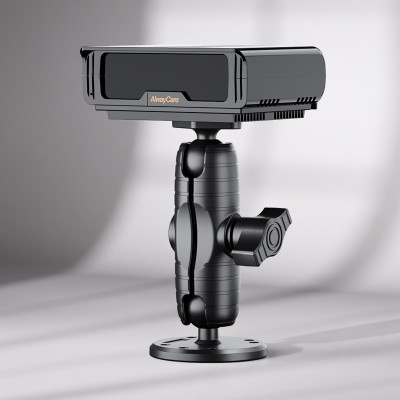
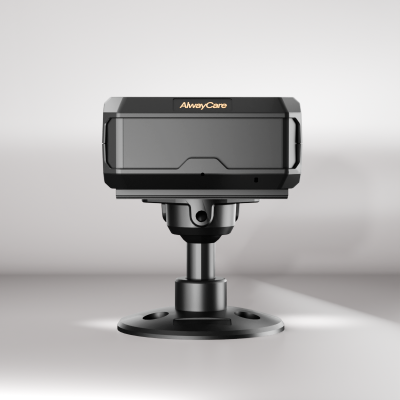
| Standalone DMS | Driver alerts without a recorder. Suits vehicles that need alerts only. | MR810: 720p video and alerts for fatigue, distraction, smoking and phone use. MR688B: fatigue, yawning, distraction and abnormal-driver alerts for 12/24V vehicles. |
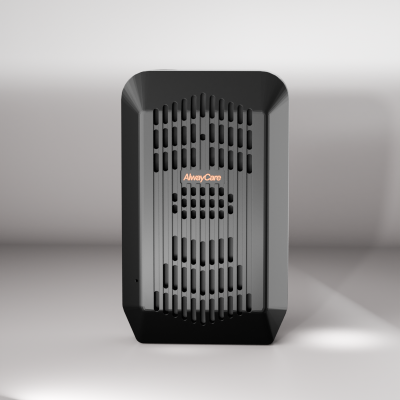
| All-in-one DMS | Driver alerts and recording in one unit, with optional road-facing functions. | MR830: driver alerts, 1080p recording and optional ADAS, BSD, 4G and fleet-platform functions. |
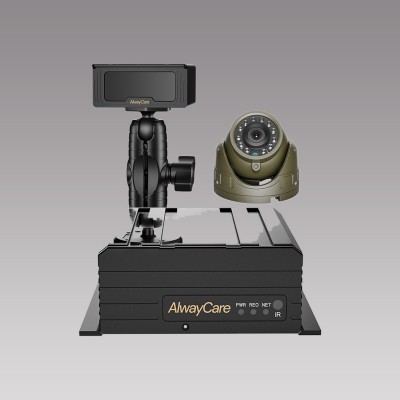
| DMS with a multi-channel recorder | Driver alerts together with several cameras and platform access. | MR910-D: 4-channel AI MDVR with DSM, GPS/BeiDou, 4G or Wi-Fi and fleet platform access. |
Functions vary by model and firmware. Specifications come from each product's factory datasheet, and your quotation confirms the exact configuration for your vehicles.
What to check on the truck before you retrofit
- Power: confirm the supply voltage of each vehicle against the unit. Some models list 12/24V input, and others list a wider range.
- Camera position: the camera needs a clear view of the driver's face. Check the seat, the glass, the pillar and the light in the cab, including sun and glare.
- Mounting: check the bracket and the cable route for each cab type. A fleet with several truck models needs a fitting plan for each. See Can One Driver Monitoring System Fit Every Vehicle?
- Connection: if you want event records or live access, confirm the wiring and the 4G or Wi-Fi connection on each vehicle.
Make sure the driver notices the alert
A quiet warning is easy to miss in a loud cab. In-cab voice alerts can be paired with a warning light, a vibration cushion or a vibration motor. Test the alert in a running truck, at speed, with the radio and the engine on, and ask the drivers whether they noticed it.
Questions to ask a supplier
- Which alerts are included, and can the thresholds be set?
- How was detection tested at night, in glare and with glasses or a cap? Ask to see it on your own vehicle.
- What does the unit record, where is it stored, and who can see it?
- Can it connect to our platform? Sharing data with another platform depends on its protocol and needs a review and test. See how AlwayCare devices connect to a fleet management platform.
- How long does fitting take per vehicle, and what after-sales support is included?
- Can we start with a pilot on a few vehicles?
Start with a pilot
Fit a few vehicles of each type, run them with several drivers and shifts, and count missed and nuisance alerts. Agree what a driver and a supervisor should do after each alert type before the pilot starts. The DMS pilot test and acceptance checklist gives a format. Explain the system to drivers first, and read how to introduce cab cameras to drivers and employee representatives.
Frequently asked questions
What is the difference between an aftermarket and an OEM driver monitoring system?
An OEM system is fitted by the vehicle maker as part of the vehicle. An aftermarket system is fitted by the fleet after delivery and warns the driver. Do not assume the two have the same approval status.
Can an aftermarket DMS be fitted to any truck?
Not without checking. Cab layout, glass, light, power and mounting differ between vehicles, so confirm the fit on each truck type.
Do I need a recorder with the DMS?
No. Standalone models alert the driver without a recorder. A recorder or a fleet platform adds event records that you can review.
Are fleets required to retrofit a DMS?
None of the jurisdictions reviewed in our regulations guide requires operators to retrofit DMS into vehicles already on the road. Confirm the rules that apply to your fleet and your markets.
Key point to remember
Choose the option by the vehicle and the job, check the fit on each truck type, and pilot before a wider rollout. See also Driver Monitoring System (DMS): Functions, Limits and Fleet Use, Driver Monitoring Systems for Fleet Fatigue and Distraction and DMS vs ADAS vs AI Dashcam.
Explore driver monitoring systems for fatigue and distraction alerts, or contact AlwayCare with your vehicle types for a configuration discussion.