360° Camera System for Street Sweepers: What to Check Before You Buy
360° Camera Guide
A street sweeper moves slowly, works close to kerbs, parked cars and pedestrians, and often reverses in tight places. A 360° camera system gives the operator a stitched top view and single-camera views around the vehicle. This guide lists the visibility risks of sweeper work, the checks to make before you buy and the AlwayCare systems to review.
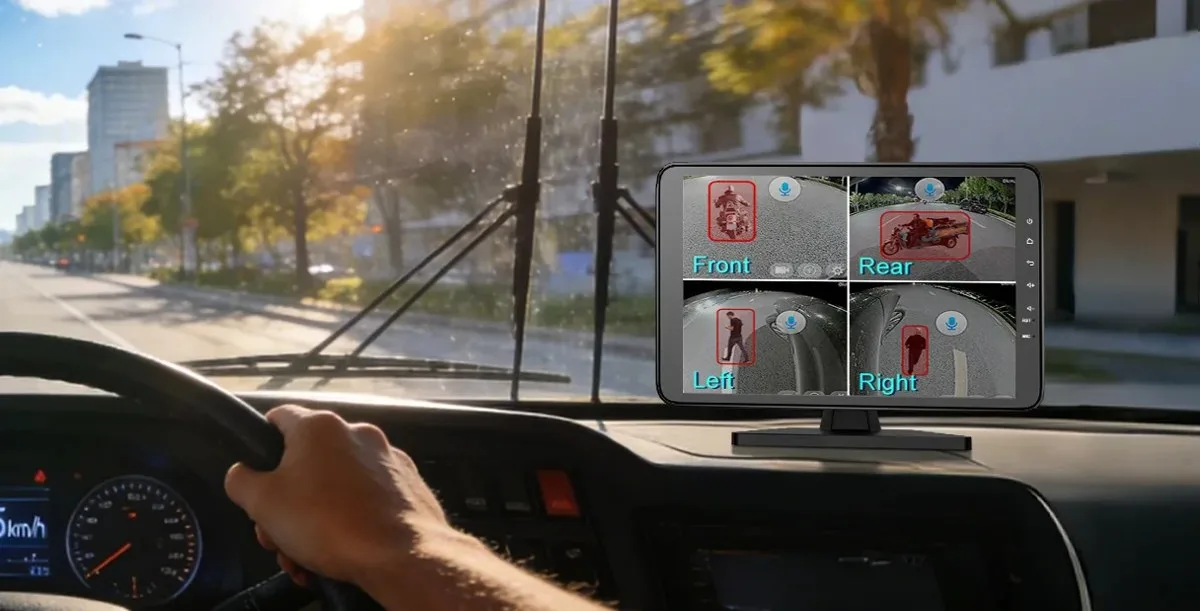
Where sweeper operators lose sight
| Situation | Why it is hard to see | What a 360° system can add |
|---|---|---|
| Working along the kerb | The nearside brush and the kerb sit below the cab window line | A near-side camera view and a top view of the gap to the kerb |
| Reversing | Rear space, pedestrians and low objects are out of mirror view | A rear camera view on the monitor |
| Tight turns | The body swings wide and parked cars are close | A top view of the vehicle outline |
| Pedestrians and cyclists nearby | People can step close to a slow vehicle without being noticed | A camera view of each side. With BSD, an alert for people and vehicles on supported models |
| Sensor and brush areas | Dirt, water and spray reach the cameras | Housings with a suitable IP rating, and a mounting position that is easy to clean |
A camera system helps the operator see. It does not replace mirrors, spotters or safe working procedures.
Checks before you buy
- Vehicle size and body shape. Measure the length and width, and note where the brush, hopper and mirrors sit.
- Camera count. Four cameras cover the four sides. Six add two more views, for example blind spot cameras on the long side. Ask for a layout drawing for your body.
- 2D or 3D view. 3D stitching suits trucks and special vehicles on the models listed below. Check the display mode on the product page.
- Camera housing. Look at the IP rating, lens angle and operating temperature, because sweepers work in water and dust.
- Voltage. Match the system to the vehicle supply. Several AlwayCare models list 12/24V or a DC 10–36V range.
- Monitor and mounting. The screen must be in the operator's line of sight and not block the view of the road.
- Recording and storage. Decide whether you need video kept for review, and how much storage that takes.
- Installation and calibration. Stitched views need correct camera positions and calibration. See 360 Camera Installation and Calibration for Trucks.
AlwayCare 360° options to review
| Model | Type | Listed specifications |
|---|---|---|
| M360-1 | 4-channel 3D 360° system with 2D/3D display modes | 12/24V; 1920x1080 recording; 512GB storage; -30℃ to 70℃; warranty 15 months |
| M360-2 | 6-channel system: four 360° channels plus two BSD camera channels | 12/24V; 1920x1080 recording; 512GB storage; -30℃ to 70℃; warranty 15 months |
| M360-4C3 | 4-channel AI 3D 360° system with a 10.1" all-in-one monitor | BSD detects people and vehicles; external sound-light alarm supported; camera 1080P, 180° horizontal view; monitor DC 12-36V |
| M360-6C3 | 6-channel AI 3D 360° system with a 10" AHD display | Six 1080P fisheye cameras, 210° horizontal view; micro SD up to 2TB; DC 10V-36V; host -30℃ to 70℃ |
| CC360-AHD20 | 210° fisheye camera used four to a vehicle in MR910-360 systems | 1080P; IP67; metal housing; DC 12V ±6%; -30℃ to 75℃ |
Specifications come from the product pages. Functions vary by model and configuration. Confirm the camera count, display mode, BSD function and storage in your quotation.
For a wider view of system types and components, read 360 Camera System for Trucks and Buses: Types, Components and How to Choose and 360° Around-View Cameras for Commercial Vehicles.
Test on your own vehicle
- Fit one vehicle first and check the stitched view with a person and a marker at each side.
- Check the view at the kerb and when reversing, in daylight and in low light.
- Wash the vehicle as you normally do and check that the cameras still show a clear picture.
- Ask the operators what they look at and whether the screen position works.
- Check recording and playback if you need to review an incident.
Questions fleets ask about sweeper camera systems
How many cameras does a street sweeper need?
Four cameras cover the four sides of the vehicle. Some fleets add two more for the long side or the rear. Ask for a layout for your body shape.
Is a 360° system the same as a reversing camera?
No. A reversing camera shows the rear only. A 360° system stitches several cameras into one top view and also offers single-camera views.
Can the system warn about pedestrians?
Some models include BSD that detects people and vehicles. Check the product page for the exact model, and treat the alert as an aid, not a guarantee.
Do sweeper cameras need to be waterproof?
Sweepers work with water and dust, so check the IP rating and the mounting position. For example, the CC360-AHD20 lists IP67.
Does a 360° system record video?
Some systems record and some only display. The M360-1 and M360-2 list recording and 512GB storage. Check the model you choose.
How do I get a quotation?
Send the vehicle make and model, the body length and width, and whether you need recording or BSD.
Summary
- Sweepers work slowly and close to kerbs and people, so side and rear views matter.
- Choose the camera count, 2D or 3D view, housing rating and voltage for your vehicle.
- Pilot on one vehicle, including calibration and washing.
- A camera system is an aid. Keep mirrors, spotters and procedures.
See the 360 vehicle camera system solution or send an inquiry with your vehicle details.
For 360° around-view layouts, camera counts and systems for trucks and buses in one place, see the 360 vehicle camera system solution.