360 Camera Installation and Calibration for Trucks: A Fleet Checklist
360° Camera Installation Guide
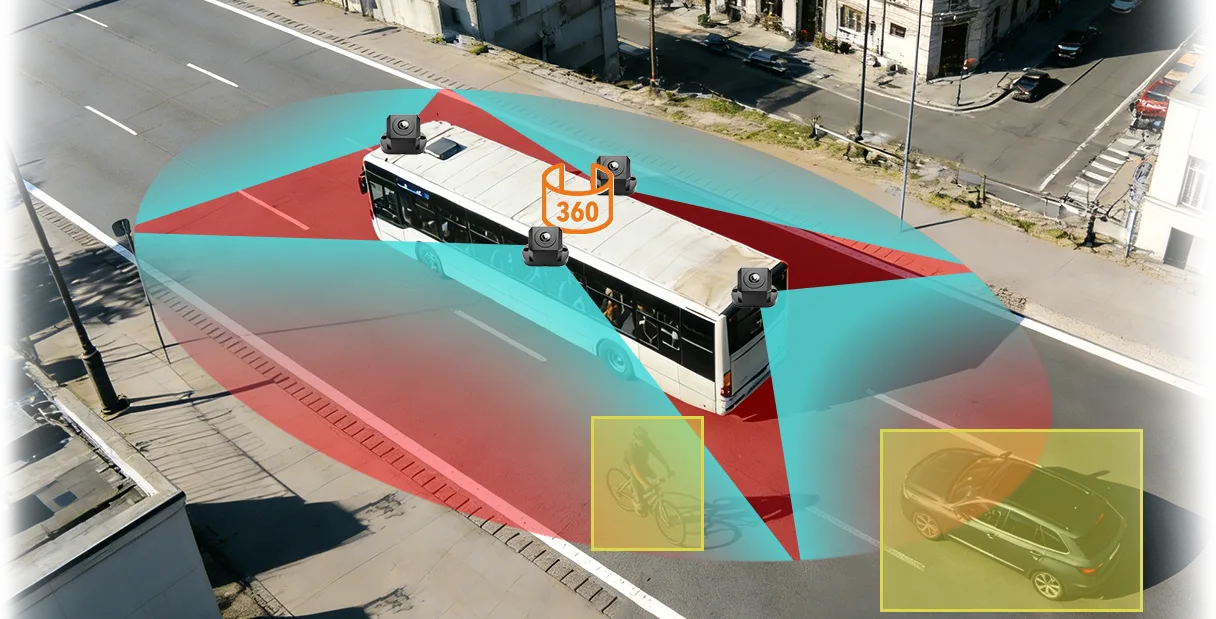
A 360° camera system is only as good as its installation and calibration. Cameras that sit a little out of place make the joins between images show bent lines, wrong distances or gaps. This checklist covers camera positions, wiring, calibration and the tests to run before a vehicle goes back to work.
Before you start
- Confirm the model, channel count and cable lengths against the vehicle length.
- Check the power supply: 12/24V for the M360 range, DC 9–36V for MDVR models with 360° view.
- Park the vehicle on flat ground with enough clear space around it.
- Clean the body where cameras will sit and check that the vehicle is at normal ride height.
- Agree who does the calibration and which method the supplier specifies for the model.
Camera positions
| Position | What it covers | What to check |
|---|---|---|
| Front | The area ahead of the bumper | Centred on the vehicle, level, not blocked by the grille or bar |
| Rear | The area behind the vehicle | Centred, clear of the door handles and rear lights; on a tractor, check what the trailer blocks |
| Left side | The area along the left of the vehicle | Same height as the right side camera, looking straight down the body |
| Right side | The area along the right of the vehicle | Same height as the left side camera, clear of mirrors and steps |
Camera height and angle affect the stitched image. Follow the supplier's fitting guide for your vehicle. If the system has extra BSD cameras, such as on the M360-2, fit them as shown in the guide.
Wiring checklist
- Route cables away from heat, sharp edges and moving parts.
- Use the connectors supplied and seal the joins against water and dust.
- Secure cables so that vibration cannot pull a connector loose.
- Connect power through a fused supply and check the voltage with a meter.
- Fit the monitor where the driver can see it without blocking the windshield view.
For general recorder wiring and test steps, read Mobile DVR Installation: A Fleet Wiring and Test Checklist.
Calibration
Calibration lines up the camera views so the image joins at the seams. Most systems need a calibration step after installation and again after a camera is moved or replaced. The method differs by model, so follow the supplier's instructions. Ask for the time needed per vehicle so you can plan workshop time.
- Calibrate with the vehicle empty and tyres at normal pressure, unless the supplier says otherwise.
- Check that the vehicle outline on the screen matches the real vehicle.
- Recalibrate after a camera is moved, replaced or knocked.

Acceptance tests
| Test | How | Pass when |
|---|---|---|
| Outline | Compare the outline on the screen with the real vehicle | The shape matches and nothing is cut off |
| Close objects | Place safe markers at each corner, side and the rear | Each marker shows in the right place on the screen |
| Seams | Walk a marker across each join | The marker does not jump, double or disappear at the join |
| Night and glare | Test at night and in strong sun | The image is readable at the corners and sides |
| Driver check | Ask the driver to use it for a normal manoeuvre | The driver can read the screen and still check mirrors |
See Night Vision Truck Cameras for how to test image quality in low light.
Keep it working
- Add the cameras to your regular wash and inspection routine.
- Wipe the lenses when they are dirty. Dirt hides part of the image.
- Check the picture after bodywork, a bump or a trailer change.
- Keep a record of each vehicle's calibration date.
Use Fleet Camera Maintenance: A Practical Inspection Checklist for a regular inspection routine.
Questions fleets ask about 360° installation
How long does a 360° camera installation take?
It depends on the vehicle size, cable routing and the calibration method. Ask your supplier for the time per vehicle and plan the first vehicle as a trial.
Why do the image seams look bent or doubled?
Usually the cameras are not at the height or angle the system expects, or calibration was not done correctly. Check the camera positions and recalibrate.
Do I need to recalibrate if I change the trailer?
If the trailer is part of the covered area, check the view and ask your supplier whether a new calibration is needed. Do not assume the old calibration still fits.
Can I fit a 360° system to any truck or bus?
Many vehicles can take one, but the camera positions and cable lengths must suit the vehicle. Share your vehicle type and length with your supplier.
Who should do the installation?
A trained installer or a fleet workshop that follows the supplier's fitting guide. Keep a record of the calibration for each vehicle.
Summary
- Camera position and calibration decide how well the image lines up.
- Wire carefully and secure every connector.
- Test with markers at the corners, sides and seams before the vehicle returns to work.
- Recalibrate after any camera is moved or replaced.
See the 360° vehicle camera range or send an inquiry with your vehicle type and length.
For 360° around-view layouts, camera counts and systems for trucks and buses in one place, see the 360 vehicle camera system solution.