Backup Camera for Box Trucks: Camera Positions, Cable Runs and Monitors
Box Truck Camera Guide
A box truck has a tall, flat rear and a long cargo body, so the camera position and the cable run decide how well a backup camera works. This guide covers where to mount the camera, how to route the cable from the rear to the cab and how to choose the monitor. For the wider buying guide, read Wired vs Wireless Backup Cameras for Trucks.

Camera positions on a box truck
| Position | What it shows | Notes |
|---|---|---|
| Top centre of the rear door frame | A wide view of the area behind and the ground near the bumper | Common choice. Angle the lens down |
| Bumper or lower rear panel | The ground close to the rear and low obstacles | More exposed to knocks and spray |
| Both: high and low | The area behind plus the ground below the bumper | Needs a monitor with two inputs |
| Side cameras | The sides of the body at turns and in yards | Adds blind spot coverage |
Planning the cable run
- Measure the real path from the rear camera to the cab, along the chassis rail or inside the body.
- Add a margin for the bends and for the connections at the cab.
- Keep the cable away from the exhaust, brakes and moving parts.
- Use clips or conduit at regular intervals, and protect the cable where it passes through metal.
- Seal connectors and leave a drip loop.
If the cargo body is removable, use a plug-in connector at the cab so the body can be separated without cutting the cable.
Choosing the monitor
- Match the monitor input to the camera signal.
- Choose enough brightness for a cab in direct sun.
- If you plan more than one camera, choose a monitor with split-screen or several inputs.
- Mount the monitor where the driver can see it with the mirrors, without blocking the road.
AlwayCare products to review
| Model | Type | Listed specifications |
|---|---|---|
| CC866-AHD20 | IP68 wide-angle vehicle camera | 12V; 1920x1080; 160° wide angle; 72.6×37.5×58mm; −30 to 75°C; warranty 15 months |
| DP210-B | 7-inch heavy-duty waterproof monitor | 7.0 inch; 1024x600; 500 cd/m² anti-glare; 2 video inputs (dual split); DC 9–36V; −20 to 70°C |
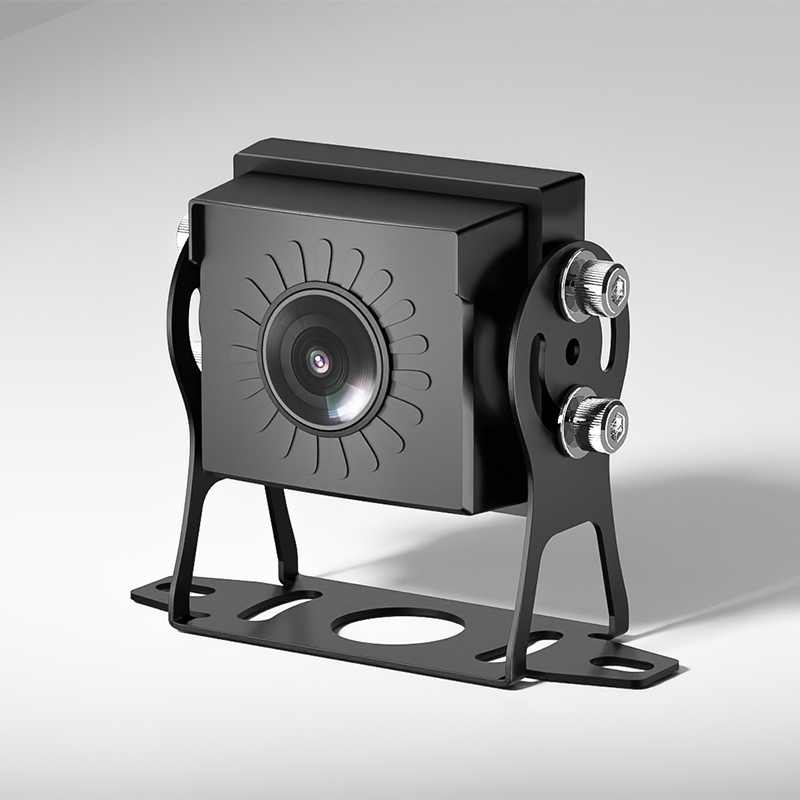
Specifications come from the product pages. Check the camera voltage against your truck supply and confirm the cable length in your quotation.
For a test after installation, read Mobile DVR Installation: A Fleet Wiring and Test Checklist.
Questions fleets ask about box truck backup cameras
Where should a backup camera go on a box truck?
The top centre of the rear door frame is a common choice because it gives a wide view. Angle the lens down to include the ground near the bumper.
Do I need a wireless camera on a box truck?
Not always. A wired camera is steady on a fixed body. A wireless link helps if the body is removable or the cable run is hard.
How long is the cable I need?
Measure the real path from the camera to the cab and add a margin. A box truck cable is often longer than expected.
Can I connect two cameras to one monitor?
Yes, with a monitor that has two or more inputs, such as the dual-split DP210-B.
Is IP68 needed on a box truck camera?
The rear is exposed to rain and spray, so a high protection rating helps. Check the listed rating on each camera.
For camera models, positions and example layouts in one place, see the fleet in-vehicle camera solution.