Forklift Truck Camera System: Camera, Monitor and Wireless Options
Forklift Camera Guide
A forklift truck camera system shows the driver the areas that the mast, the load and the counterweight hide. It is usually one or two cameras and a small monitor in the cab. The right choice depends on where the blind areas are, how the forklift is powered and whether a cable run is practical. This guide covers positions, monitors and wireless options.

Where cameras help on a forklift
| Position | What it shows | Notes |
|---|---|---|
| Rear | The area behind the truck when reversing | Mount high on the counterweight and protect the lens from knocks |
| Mast or carriage | The forks and the load height when the mast is raised | Needs a camera that moves with the carriage, so cable routing matters |
| Overhead guard | A wider view ahead and to the sides | Check that the guard position does not block the driver view |
| Side | The sides of the truck at aisle junctions | Useful where pedestrians cross |
Camera and monitor options
| Option | Fits best when | What to check |
|---|---|---|
| Wired camera and monitor | The route is short and the cable can be protected | Cable length, flex points and connectors |
| Wireless camera and monitor | A cable would cross a moving mast or an attachment | Range, pairing and metal racking that can block the link |
| Camera with a radar or UWB system | You also need distance or people warnings | Read the proximity warning guide below |
Supply voltage and mounting
- Electric forklifts often run from battery voltages above 12V or 24V. Check that the camera and the monitor accept the supply, or add a suitable converter.
- A forklift vibrates and knocks. Use a rigid bracket and a camera with a metal or reinforced housing.
- Water and dust matter in outdoor yards and wash-down areas. Check the listed protection rating.
- Keep monitor brightness in mind for bright loading docks and dark warehouses.
AlwayCare products to review
| Model | Type | Listed specifications |
|---|---|---|
| CC982-W | IP68 wireless camera with laser guide | 1–4 channel AHD input; 1080P/720P; 2.4G video link; strong magnetic mount; working voltage 10–36V; IP68; −20 to 70°C; warranty 15 months |
| DP230 | 7-inch vehicle monitor | 12/24V; 480P; 16:9; −20 to 65°C; warranty 15 months |
| R350 | 77GHz radar collision warning system for forklifts | Detection range 0.2–40m; 3 distance alert levels; control box supports 1–2 radars; DC 12–24V; optional 7-inch or 10.1-inch AHD monitor; warranty 15 months |
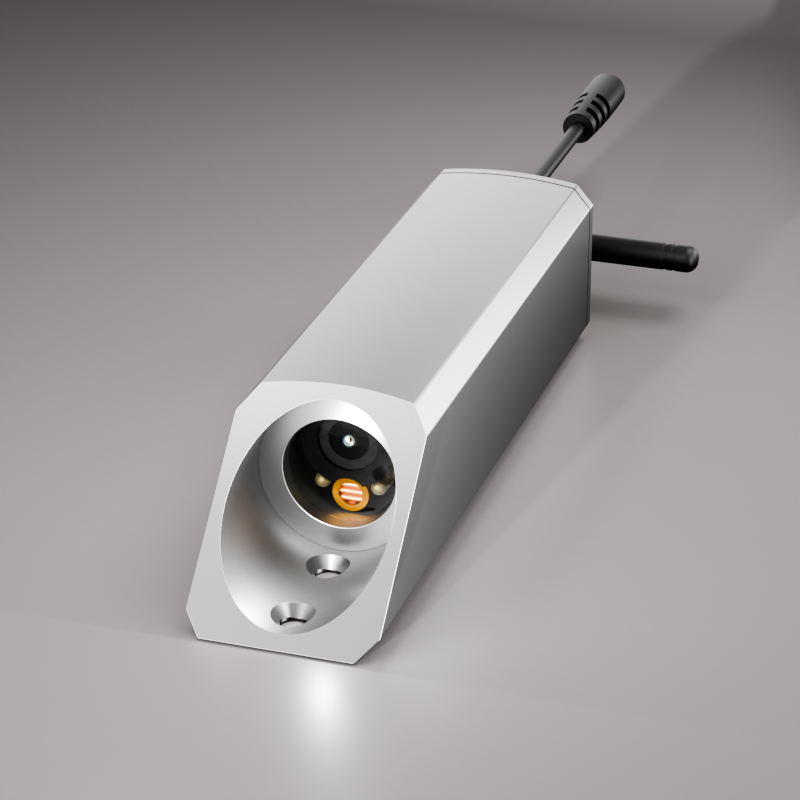
Specifications come from the product pages. Confirm the supply voltage of your forklift and the mounting position in your quotation.
For radar, UWB and camera options together, read Forklift Collision Avoidance Systems: Complete Fleet Safety Guide.
Questions fleets ask about forklift camera systems
Does a forklift need a camera if it has mirrors?
Mirrors cannot show every area behind a load or a raised mast. A camera adds a view of those areas.
Can a forklift camera work on an electric forklift?
Yes, if the camera and the monitor accept the forklift supply, or a suitable converter is fitted.
Is a wireless forklift camera reliable in a warehouse?
It depends on range and on metal racking between the camera and the monitor. Test it on your own site.
How many cameras should a forklift have?
One rear camera is the minimum. Add a mast or overhead guard camera where the load blocks the view.
Does a camera replace a radar or UWB system?
No. A camera shows a view. Radar and UWB systems warn about distance or nearby people. Many sites use both.
For forklift radar, UWB and camera options in one place, see the forklift fleet safety solution.