


Each channel on an MDVR is one camera input. A 4-channel MDVR covers the basic four views — front, rear, and both sides — on vans and rigid trucks. An 8-channel adds cabin, cargo, and door views for buses and heavy trucks. 12 channels and above fit articulated vehicles, mining trucks, and multi-door passenger fleets. Count the camera positions you actually need first; then size storage.
What does a "channel" mean?
A channel is one video input on the recorder. A 4-channel MDVR records up to 4 cameras at the same time; an 8-channel records up to 8. The channel count caps how many cameras you can connect — extra cameras beyond that have nowhere to plug in.
One detail worth checking before you buy: some AI MDVRs mix camera types across channels, for example analog AHD inputs plus IP inputs reserved for AI functions such as driver monitoring. Channel count alone does not tell you this — confirm the input types on the specification sheet.
What each camera position covers
Channels should follow camera positions, not the other way around. These are the positions most fleets choose from:
| Position | What it covers | Typical vehicles |
|---|---|---|
| Front | Road ahead, forward collisions, plate evidence | All |
| Rear | Reversing, tailgate, towed loads | All |
| Left / Right | Blind spots, lane changes, passing cyclists | Trucks, buses |
| Cabin | Driver behavior, incident context | Buses, taxis, trucks with AI dashcam function |
| Door / boarding | Passenger boarding, fare disputes | Transit, school bus, coach |
| Cargo / interior | Load condition, tampering | Delivery, logistics |
| Rear-trailer | Area behind a long combination | Trailers, articulated |
4-channel MDVR: who it fits
Four channels is the standard starting point for rigid vehicles with basic coverage needs:
- Vans and small delivery trucks: front, rear, left, right.
- Light trucks where cargo is not visible from the cab.
- Fleets that need evidence from the four driving directions only.
What 4 channels cannot do: a cabin view, a door view, and a cargo view cannot all be added on top of the four driving directions. If any of those matter to your operation, plan 8 channels from the start.
8-channel MDVR: who it fits
Eight channels is the most common configuration for heavy commercial vehicles:
- City buses and coaches: front, rear, both sides, plus door and cabin views.
- Heavy trucks with cargo monitoring: four driving directions plus cargo or interior.
- School buses: door and cabin coverage is usually expected alongside road views.
- Worksite vehicles that need a reversing and a work-area view.
An 8-channel recorder also leaves room to grow: if you start with 6 cameras, two spare channels accept later additions without replacing the recorder.
12-channel and above: who it fits
Twelve or more channels serve vehicles with many covered areas or long combinations:
- Articulated buses and multi-section vehicles.
- Mining trucks and large worksite equipment combining road views with work-area and proximity-camera views.
- Passenger vehicles with multiple doors and saloon areas.
- Special vehicles where several cargo compartments need coverage.
Above 8 channels, installation effort rises noticeably: more cable runs, more connections to protect, and more storage to size. In our experience, most fleets do not need 12 channels — a mix of 8-channel heavy vehicles and 4-channel light vehicles covers the typical mixed fleet better than one high-channel-count standard.
Channel planning matrix
| Vehicle type | Recommended channels | Typical positions |
|---|---|---|
| Car / van | 4 | Front, rear, left, right |
| Rigid delivery truck | 4–6 | Four directions + cargo or cabin |
| City bus / coach | 8 | Four directions + door + cabin (+ cargo) |
| School bus | 8 | Four directions + door + cabin |
| Heavy truck + trailer | 8–12 | Four directions + rear-trailer + cargo + cabin |
| Mining / worksite truck | 8–12 | Four directions + work area + proximity views |
| Small forklift / sweeper | 2–4 | Rear or work view + front |
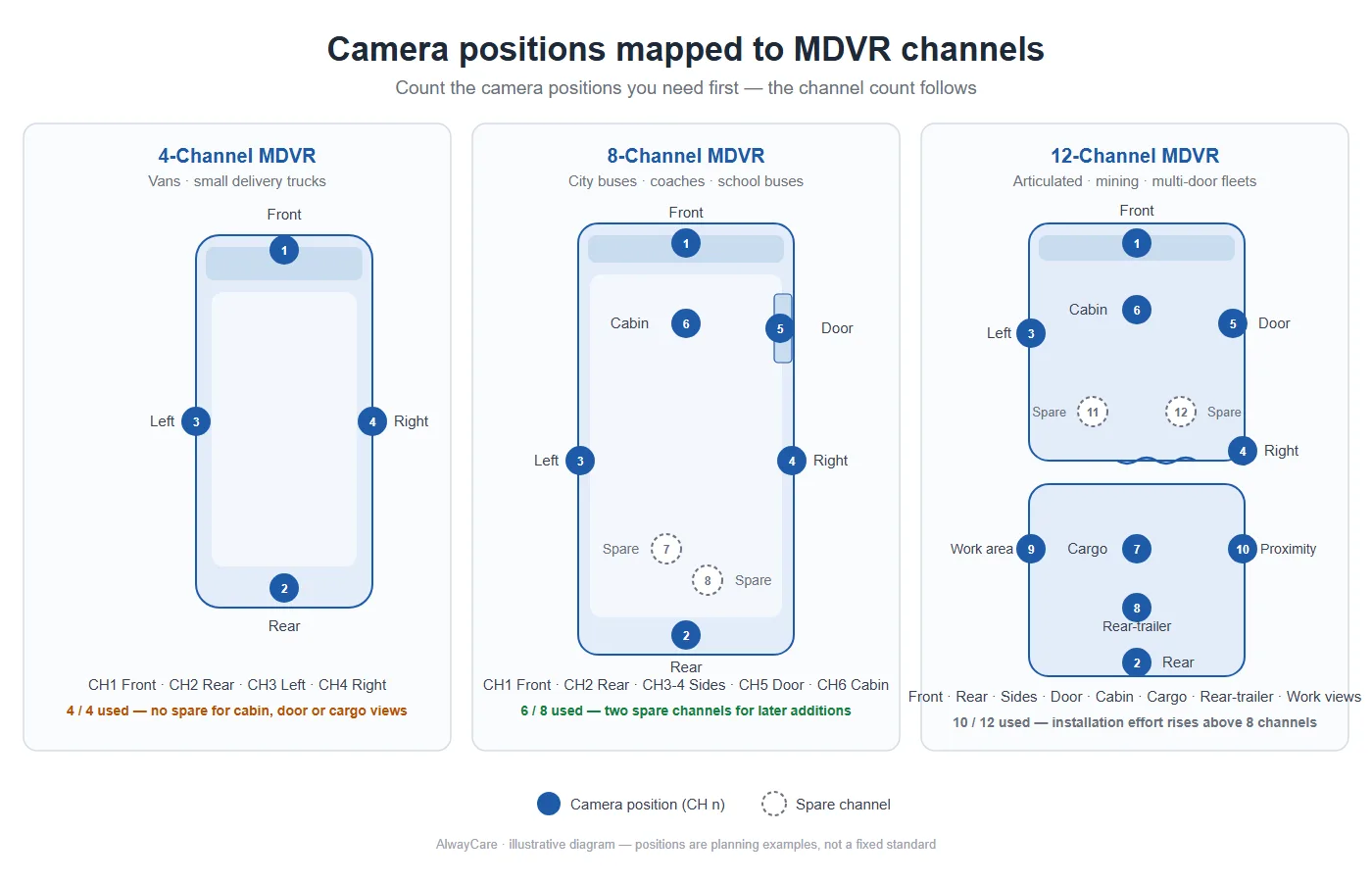
Illustrative mapping — positions are planning examples, not a fixed standard.
Treat this as a planning starting point. The right count depends on your body type, door layout, and what your insurer or operator expects to see.
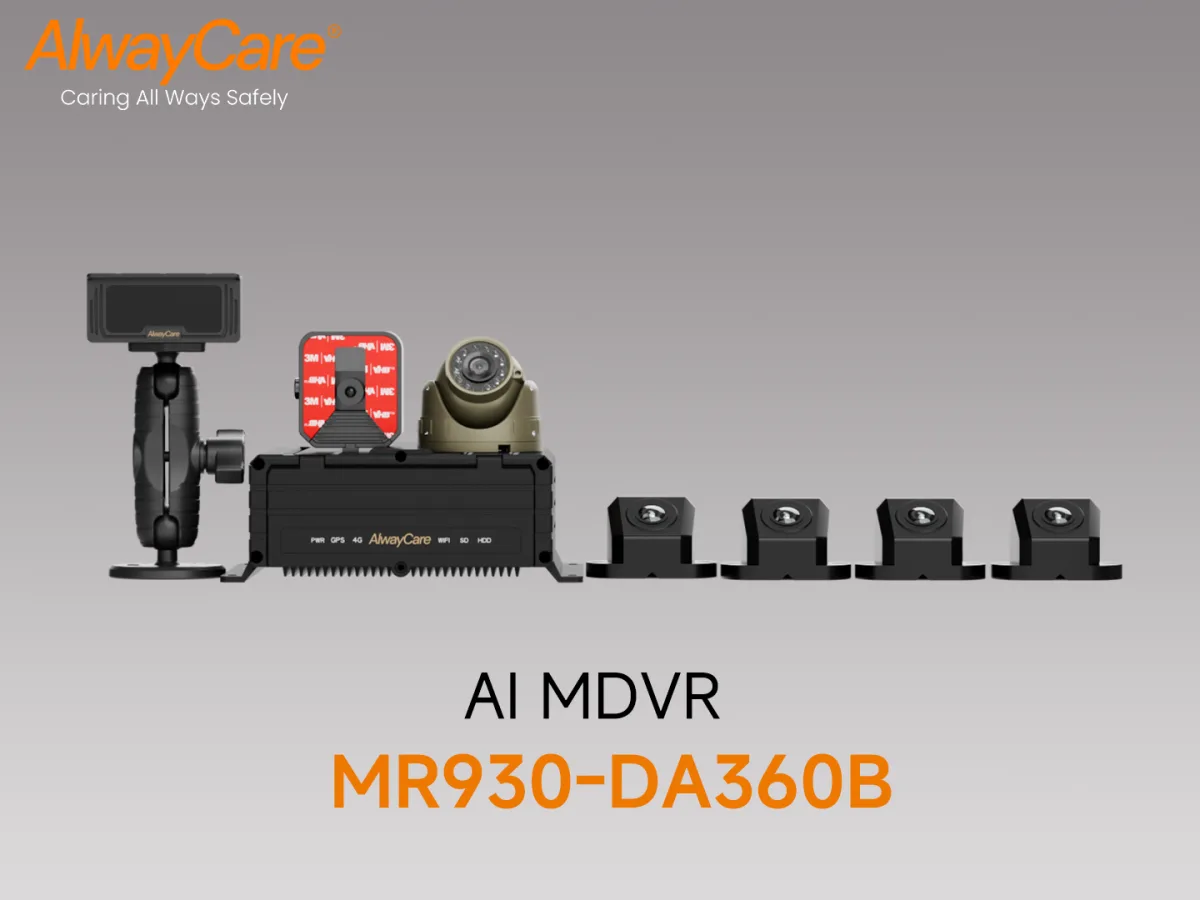
An AI MDVR kit: AHD recording channels plus IP inputs for AI cameras.
Storage scales with channels
Every added channel adds recording hours to store. Using the same open assumptions as our fleet recording guide — 1080p, H.265, about 2 Mbps per camera — one camera produces roughly 0.9 GB per hour:
- 4 cameras over a 10-hour day: about 36 GB per day.
- 8 cameras: about 72 GB per day.
- 12 cameras: about 108 GB per day.
H.264 roughly doubles these figures, and parking recording adds more. The practical rule: decide your retention period first, then multiply. Confirm the storage media type and capacity supported by the recorder in your quotation — models differ.
Installation and cost boundaries
Channel count drives installation effort more than it drives hardware price:
- Each camera needs a cable route from the recorder to the mounting point, protected along doors, hinges, and moving parts.
- More channels mean more connections to seal, more power draw on the vehicle, and more storage to maintain.
- A professional installation protects the footage you are paying for — a badly routed cable on channel 5 is a lost camera.
Honest limit: more channels do not make a vehicle safer by themselves. Cameras record and support alerts; coverage should match real blind spots and operational needs, not maximize a specification.
Frequently asked questions
Can I start with a 4-channel MDVR and add channels later? Only if the recorder has spare channels. A 4-channel recorder is full at 4 cameras. If growth is likely, buy 8 channels and leave spares free — replacing a recorder later costs more than the channel headroom does today.
Is an 8-channel MDVR overkill for a small fleet? Judge it per vehicle, not per fleet. One bus with a door and cabin view needs 8; two vans need 4. A mixed fleet often mixes channel counts.
Is a 4-channel system enough for a bus? Usually not. Buses typically carry door, cabin, and rear coverage on top of the four driving directions — that is what transit operators and insurers expect to see after an incident.
What is an AI channel on an MDVR? Some AI MDVRs reserve inputs for intelligent cameras such as driver monitoring or road-risk detection, separate from regular recording channels. The split between recording and AI channels varies by model — check the specification sheet.
Does channel count affect how long footage is kept? Yes. The same drive divided across more cameras holds fewer days. Size storage for your retention policy using the per-camera rate above, and confirm supported media in your quotation.
Plan your channel count with your camera positions
Send us your vehicle types and the camera positions you need — we will map them to a channel count, storage size, and a quotation that matches.
- Compare recorder types first in MDVR vs Dash Cam, or browse our Mobile DVR and AI MDVR ranges.
- Sizing storage next? See How Much Video Storage Does a Fleet MDVR Need?.
- For remote access and event upload, read Video Telematics for Remote Fleet Oversight and Driver Support.

