Waste Collection Truck Camera Coverage: Mapping Blind Spots by Route and Work Task
Waste Fleet Camera Guide
Waste collection truck camera coverage should be planned from two directions at once: the fixed blind areas around the vehicle, and the routes and work tasks the truck actually performs. A layout that suits a rear-loading truck on wide suburban streets may leave gaps on a narrow alley route with walk-up collection. The practical method is to build a route-and-task coverage matrix, mark where the driver and crew need to see, then choose camera positions, displays and checks that match.
Start with the vehicle and the people around it
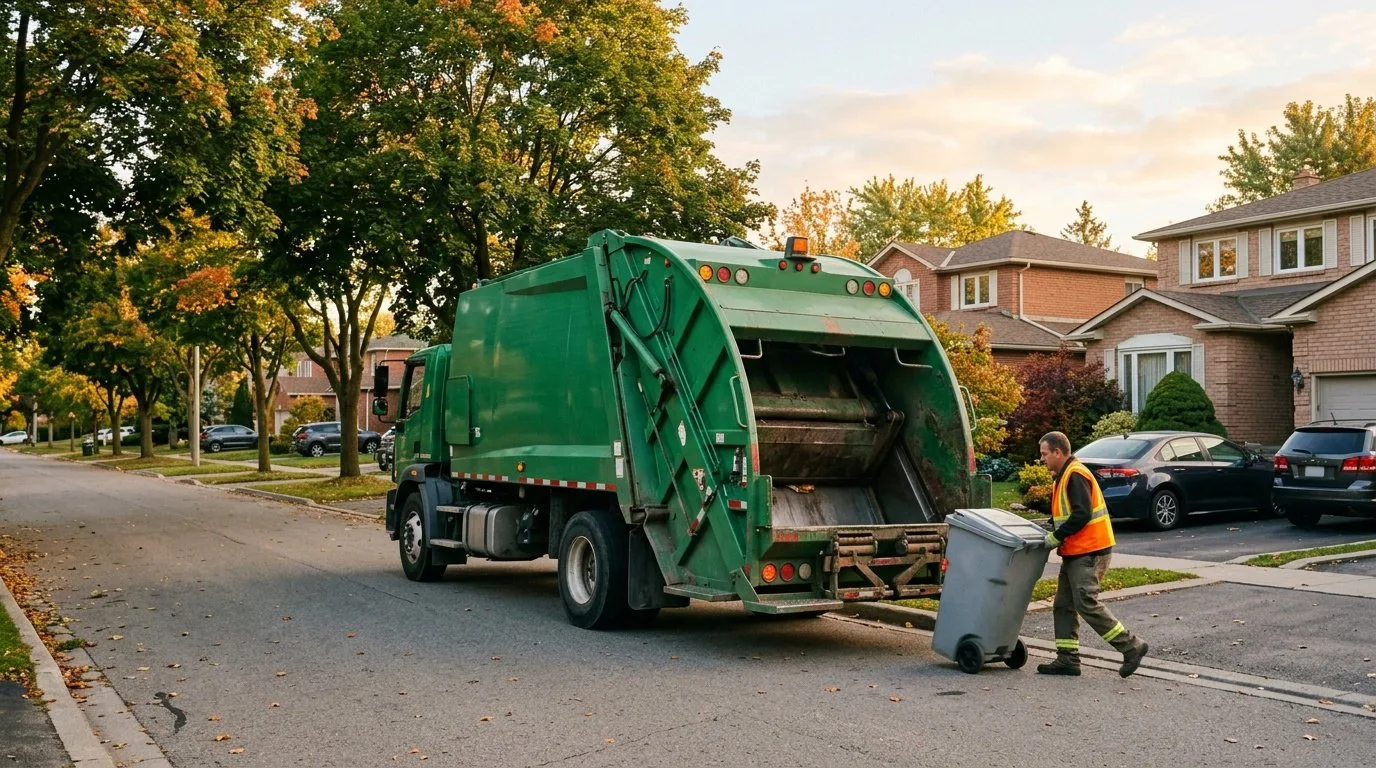
Camera coverage is not a camera count. It is a set of views tied to decisions: can the driver see a child at the near-side front corner before moving off? Can the loader see the bin lift area and the ground crew? Can the reversing driver see a bollard, a parked bin or a pedestrian behind the body?
Start with the vehicle geometry: cab height and window line, body and hopper, loader or arm, rear steps, mirror positions, existing cameras and the seated eye position of each driver. Mark the fixed blind areas on a simple diagram from the cab, near side, far side, rear and loading area, including areas that change when the body is raised or the arm is extended. Then add the people who work around the truck: drivers, loaders, supervisors and members of the public. The map should show where each person needs a view, not just where a camera can be mounted.
Why route and work task change the blind-spot map
The same truck has different coverage needs on different days. A residential route with frequent curb stops creates repeated near-side and front-corner checks at low speed. A narrow alley or reversing route shifts attention to the rear and close side views. A commercial or transfer-station task adds dock edges, ground crew and larger turning areas. Low sun, rain, snow, road spray, dust and leaf collection can reduce what a camera shows even when the mounting position is unchanged.
| Record this | Examples |
|---|---|
| Route factors | Lane width, one-way streets, parked vehicles, alley turns, cul-de-sacs and reversing points; road users such as pedestrians, cyclists and school zones |
| Stop pattern | Curb collection, walk-up collection, bin lifts, commercial containers and bulk pickups |
| Site conditions | Transfer stations, depots, narrow gates, overhead obstructions and soft shoulders |
| Work-task factors | Moving off from a stop, reversing, bin lifting and arm operation, ground crew movement, compaction and unloading, wash-down |
| Conditions | Daylight, dusk, night, glare, rain, snow, dust and seasonal foliage |
Build a route-and-task coverage matrix
A matrix turns observation into a specification. Use rows for route types and work tasks, and columns for the hazard, the required view, the candidate camera or sensor position and the check that proves the view is usable. A short table is better than a long camera list.
| Route or task | Main blind-spot concern | View to specify | Candidate coverage | Acceptance check |
|---|---|---|---|---|
| Residential curb collection | Pedestrians, parked cars and bins at the near-side front and side | Near-side front corner and side of the body | Side camera, front-corner view, blind-spot warning | Stationary check at a typical stop; verify the display at dusk and in low sun |
| Narrow alley or reversing route | Walls, parked bins and walkers behind and beside the truck | Rear and close side views | Rear camera, side cameras, around-view display | Check close objects at the edges of the image; confirm the driver can judge distance |
| Commercial or depot loading | Dock edges, forklifts and ground crew | Rear, both sides and the loading area | Around-view and side cameras; audible warning | Check the display in bright sun and with dirty lenses; verify the alert is noticeable |
| Transfer station unloading | Ground crew, overhead structures and reversing | Rear and body-side view | Rear camera; reversing aid; procedures | Check the view with the body raised and in dust; confirm crew communication |
| Rural or limited-stop route | Cyclists, soft shoulders and high-speed approaches | Front and side approaches | Forward and side cameras | Check during supervised route checks; verify lens cleanliness and glare |
The matrix does not replace mirrors, direct vision or safe procedures. It records which views are needed and how they will be checked. Review it with drivers and loaders before choosing equipment.
Choose coverage by the job, not by the catalog
Forward and side cameras support approach and curb checks. Rear cameras support reversing and unloading; the CC877-AHD20 is one example of a camera for these positions, with a metal body and an IP68 rating. Around-view systems such as the M360-1 give a bird's-eye display, but the image is stitched and close objects can be distorted, so treat it as an aid, not a complete view. For close-range warnings behind and beside the body, an ultrasonic collision warning radar such as the R300 is one option. Specifications come from each product's datasheet; your quotation confirms the configuration for your vehicles.
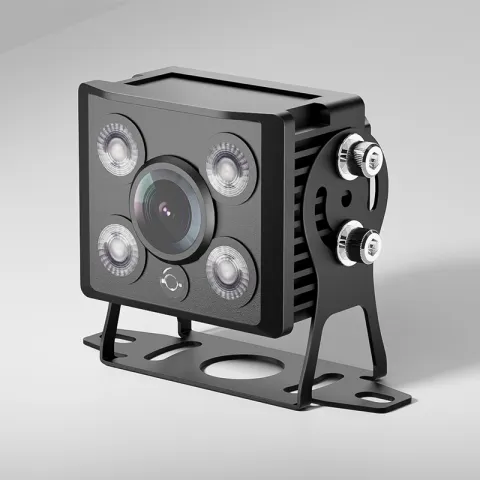 CC877-AHD20IP68 Starlight Truck CameraRequest a quote
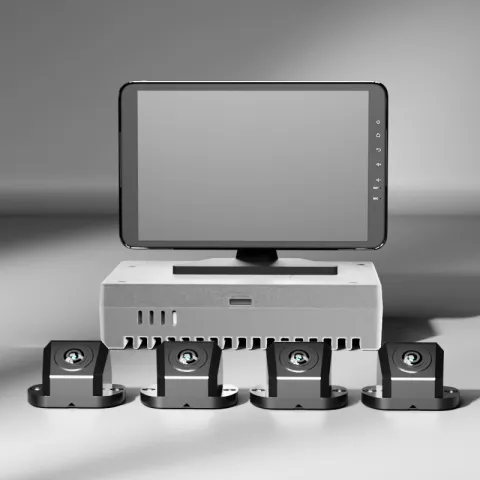 M360-14-Channel 3D 360° Around-View SystemRequest a quote
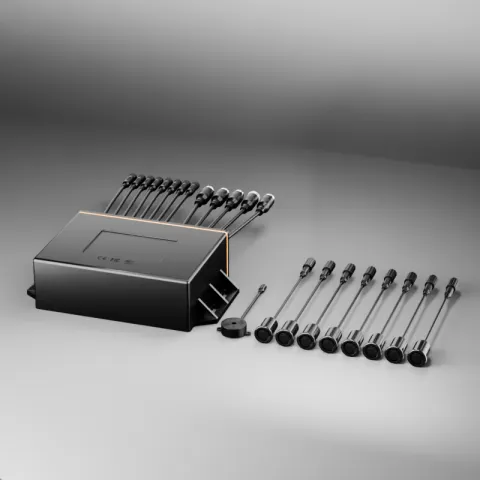 R300IP67 Ultrasonic Collision Warning RadarRequest a quote
AI blind-spot detection can draw attention to moving people or objects, but its performance depends on sensor placement, field of view, weather, lighting and how warnings are presented. When selecting cameras for municipal vehicles, include low sun, rain, snow, dust, vibration and wash-down in the acceptance checks; see AI Cameras for Municipal Vehicles in Harsh Conditions and AI Blind Spot Detection for Commercial Fleets. Do not rely on a warning alone where direct vision or a procedure is required.
Test the view in the conditions the route sees
- Daylight and low sun: check glare and shadow.
- Dusk and night: check display brightness and blooming from lights.
- Rain, snow and spray: check lens contamination and heating or wiping if fitted.
- Dust and wash-down: check seals and cleaning access.
- Vibration and load: check mounting and image stability.
- Display position: check it does not block mirrors or sight lines and is readable from the seated position.
- Alerts: check volume, how distinct the alert is and alarm fatigue.
- Privacy: check local recording rules, signage, access and retention.
Use stationary checks first, then supervised low-speed checks in a controlled area, and record the results in the matrix. If a view fails, change the position, add a cleaning step or adjust the procedure rather than assuming the camera will be adequate.
From map to installation and calibration
Once the required views are agreed, place cameras to protect them from impact, spray and wash-down while keeping the lens cleanable. Route wiring away from heat and moving parts and document every mount and connection. Around-view and multi-camera systems need calibration; a display that looks fine in the workshop can mislead if the calibration is wrong. Use the 360 camera installation and calibration checklist, and include acceptance tests with the body in its normal and raised positions.
Coverage degrades quietly. A dirty lens, a loose bracket, a failed recorder or a missed calibration can turn a planned view into a blind spot. Put camera checks into the existing vehicle inspection: lens condition, housing damage, bracket security, display operation, recording status and warning function. Repeat the acceptance check after any body repair, camera replacement or calibration change, and keep a simple log so the matrix reflects the vehicle as it operates.
A practical implementation sequence
- Gather route sheets, task descriptions and driver and loader feedback.
- Walk around each truck type and mark the fixed blind areas.
- Build the route-and-task matrix and agree the required views.
- Shortlist camera, display and warning options against the matrix; verify local rules and manufacturer requirements.
- Install, calibrate and run stationary and supervised low-speed acceptance checks.
- Train drivers and crew on display limits, cleaning and reporting faults.
- Review the matrix after route changes, vehicle changes, seasonal shifts or camera repairs.
For route-level visibility and event review, pair the matrix with Waste Collection Fleet Tracking so that route data and camera events are reviewed together. Camera coverage supports safe operating procedures; it does not replace them.
Questions about waste collection truck cameras
How many cameras does a waste collection truck need?
There is no fixed number. The right count depends on the body type, loading method, route hazards, crew positions, existing mirrors, local rules and the views the driver and crew need. Start with a blind-spot map and a route-and-task matrix, then add coverage only where it supports a specific check.
Can around-view cameras remove blind spots on a garbage truck?
They can reduce some blind areas and make close-in checks easier, but they do not remove all blind spots. Stitched images can distort objects near the vehicle, and dirt, glare, rain or a failed camera can reduce the view. Use around-view with mirrors, direct vision, procedures and maintenance.
Should every route use the same camera layout?
Not necessarily. A common core layout can simplify training and spares, but route and task differences may need extra views or different display settings. Document the core layout and the route-specific additions in the matrix.
What should be checked after camera installation?
Check that each planned view is usable from the driver's seated position, that displays do not block mirrors or sight lines, that warnings are noticeable without being confusing, that calibration is complete and that lenses can be cleaned. Repeat the checks after repairs, replacements or body changes.
Key takeaways
- Plan camera coverage from the vehicle, the people around it and the routes and tasks, not from a camera count.
- A route-and-task matrix turns blind-spot concerns into specified views and acceptance checks.
- Match camera types to the matrix and treat around-view as an aid, not a complete view.
- Test in the conditions the route sees: low sun, dusk, spray, dust and wash-down.
- Calibrate multi-camera systems and repeat the check after repairs or body changes.
- Keep the matrix current as routes, vehicles and seasons change.
For waste and sanitation fleet systems in one place, see the waste and sanitation fleet page.