360 Camera for Semi Trucks: Coverage, Placement and Calibration
360 Camera Guide
A 360 camera for a semi truck combines several camera feeds into one top-down image for the driver. On a tractor-trailer the useful coverage depends on vehicle geometry, camera placement and calibration far more than on the number of cameras in the kit. This guide explains what such systems can and cannot show, where cameras are commonly mounted, how calibration works and what to verify before you buy.
Why 360 camera coverage on a semi truck is different
A passenger car is a rigid body of fixed length. A tractor-trailer is not. The trailer pivots at the fifth wheel, the combined length changes with trailer size, and the rear of the trailer may sit far outside the view of cameras mounted on the cab. A stitched top-down view therefore represents a geometry that changes every time the combination turns or the trailer is swapped.
- Combined length and wheelbase. Longer combinations push the rear trailer zone beyond the reach of cab-mounted cameras.
- Articulation angle. The angle between tractor and trailer changes continuously in turns, in yards and when reversing.
- Fifth-wheel position. The gap between cab and trailer front varies by tractor model and hitch setting.
- Camera height and angle. Mirror arms, roof lines and trailer corners give very different perspectives.
- Trailer swap frequency. In drop-and-hook work, trailer cameras or calibration references must be set up again.
- Lighting and dirt. Headlight glare, dirt, rain and road spray reduce usable image quality.
Coverage figures for passenger-car around-view systems should not be carried over to heavy-duty use. Ask the supplier for its own test documentation or an installer's site survey. For the general system types and parts, see 360 Camera System for Trucks and Buses: Types, Components and How to Choose.
What a 360 camera can and cannot cover on a tractor-trailer
Around-view monitoring, side coverage and rear visibility are different functions that are often bundled in one product description. Evaluate them separately.
| View zone | What the system usually shows | Known limits |
|---|---|---|
| Front and front corners | Area immediately ahead of the bumper and the inner corner radius | Low objects very close to the bumper may fall below the camera's downward angle |
| Tractor sides | Alongside the cab, steps and fuel tanks | Coverage ends where the tractor ends; the trailer side is a separate zone |
| Trailer sides | Trailer flanks, when trailer-mounted cameras are fitted | Needs additional cameras and a connection that survives coupling and uncoupling |
| Rear of trailer | Rear door area and following traffic, when a rear camera is installed | Wiring and the signal path along the trailer must be planned in advance |
| Articulation gap | The area between cab and trailer front | Changes constantly; the stitched view may distort in this region |
| Composite bird's-eye view | A single top-down image for maneuvering | Stitching assumes a fixed geometry and can blur or misplace objects near seams |
It is more accurate to say these systems add viewpoints than to say they remove blind zones. A claim that a 360 camera eliminates blind spots or gives complete all-around coverage on a tractor-trailer needs evidence. For what the bird's-eye image does and does not show, see 360° Around-View Cameras for Commercial Vehicles.
Camera placement options for tractors and trailers
Placement trades visibility against durability, cleaning access and service time. The installer should confirm the final layout against your vehicles and routes.
| Mount position | Typical view provided | Tradeoffs to review |
|---|---|---|
| Mirror arm (left and right) | Alongside the cab and the front corner radius | Exposed to impact and vibration; aim changes if the mirror is adjusted |
| Front bumper or grille | Area directly ahead of the tractor | Prone to dirt, road spray and low-speed contact damage |
| Front header or roof line | Forward view from a higher position | Adds height and cable routing through the cab |
| Trailer front wall | The gap between cab and trailer front | Needs a quick-disconnect connection at the coupling point |
| Trailer side rails | Trailer flanks and the area beside the rear axles | Vulnerable in tight yards; needs protection and regular cleaning |
| Trailer rear door | Rear approach and following traffic | Long cable run; the camera moves with every trailer swap |
Placement that works on one trailer type may not work on another, so confirm it for each trailer type you pull. If you also need warnings for people and objects, compare cameras with radar in Camera vs Radar vs UWB Proximity Warning.
Wiring, display and recording considerations
| Consideration | What to plan |
|---|---|
| Power source | Confirm ignition-switched versus constant power, and how the system behaves during cranking |
| Harness routing | Route away from heat sources and moving parts; protect grommets through cab and trailer walls |
| Trailer connection | Choose a connector rated for the number of coupling cycles your operation performs |
| Display layout | Decide which views appear by default, when the driver triggers a view and where the monitor is mounted |
| Recording | Confirm whether the around-view processor records, or whether video goes to a separate mobile DVR |
| Data retrieval | Agree how footage is exported, who has access and how long it is kept |
Calibration process and acceptance checks
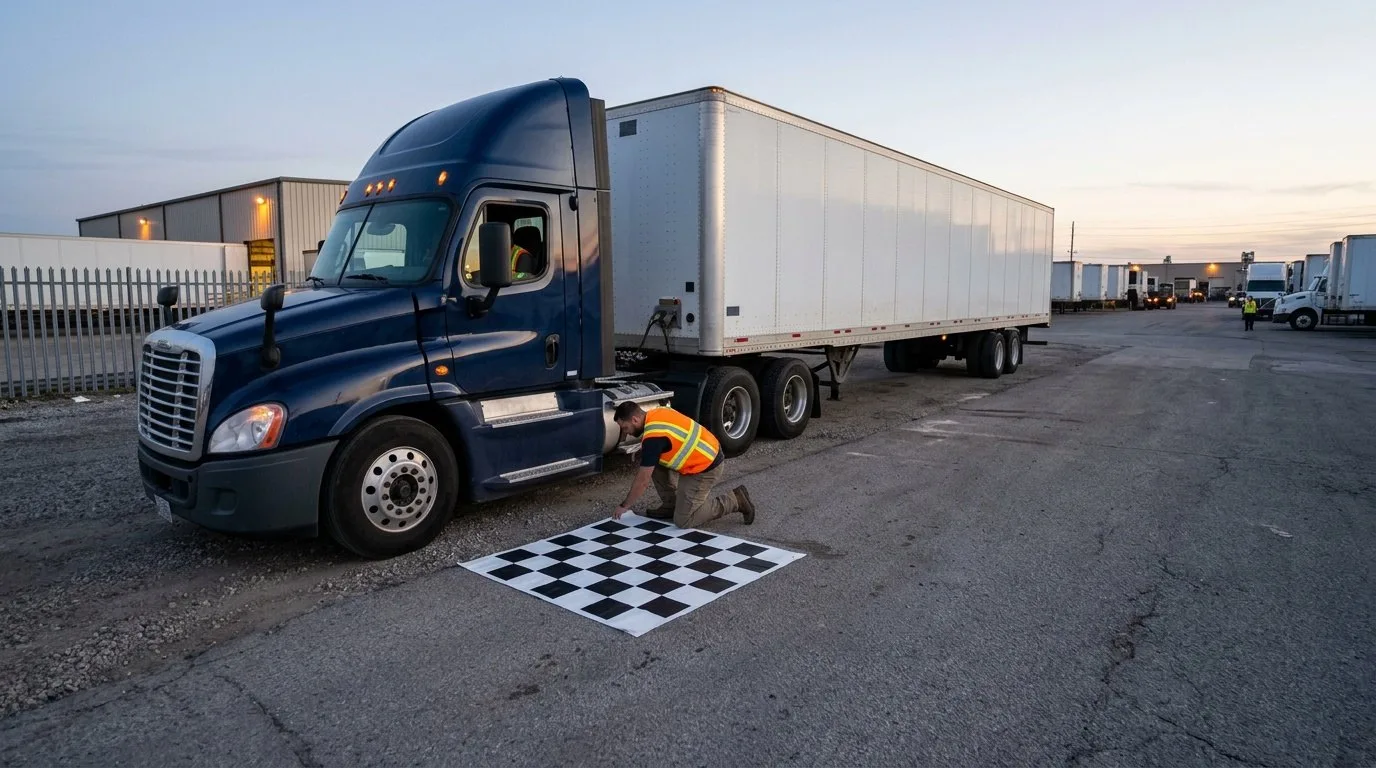
Calibration aligns each camera image to the vehicle so the stitched view corresponds to real distances. The system manufacturer defines the method and you must follow it as written; the sequence below is a general outline, not a replacement for the vendor procedure. A full installation checklist is in 360 Camera Installation and Calibration for Trucks.
- Prepare the vehicle: park on level ground, set tire pressure, close doors and confirm the trailer configuration used in service.
- Place targets: position the manufacturer's calibration mats or markers at the specified distances and angles.
- Check camera images: confirm every camera is clean, correctly aimed and unobstructed.
- Run the calibration routine: let the system detect the targets and compute alignment for each camera.
- Review the stitched view: inspect seam areas and the composite image for distortion or misalignment.
- Record the result: log the date, vehicle and trailer configuration, software version and technician.
| Acceptance check | How to verify | Notes |
|---|---|---|
| Target detection | Confirm the system reports all expected targets as detected | Repeat if any target is missed |
| Seam alignment | Compare the stitched image against known ground markings | Distortion near seams is common and should be documented |
| Corner distance judgment | Place a reference object at a known distance near each corner | Use the same object and distance across vehicles |
| Trailer view | Couple the intended trailer and re-check the relevant cameras | Note any view that depends on trailer type |
| Recording integrity | Record a short test clip and play it back | Verify timestamps and file access |
Coverage limits, maintenance and validation in service
Coverage set in a workshop changes once the vehicle is in service. Trailers are swapped, mirrors are folded, panels are repaired and lenses collect dust, so validation is a recurring task.
- Re-check the relevant views after every trailer swap, especially where trailer cameras are part of the system.
- Re-verify camera aim after body repair, mirror replacement or windshield work near a bracket.
- Clean lenses on a schedule that matches your routes; winter spray and construction dust speed up fouling.
- Confirm the monitor shows the expected views after software updates or processor replacement.
- Record findings so recurring problems can be traced to a position or harness.
Procurement checklist for fleet managers and installers
When you review around-view kits such as the M360-1 (four channels) and the M360-2 (six channels with blind spot detection), ask for the documentation behind each statement. Specifications come from each product's factory datasheet; your quotation confirms the exact configuration for your vehicles.
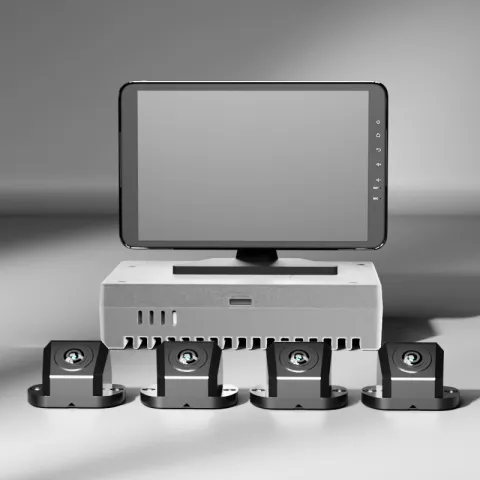 M360-14-Channel 3D 360° Around-View SystemRequest a quote
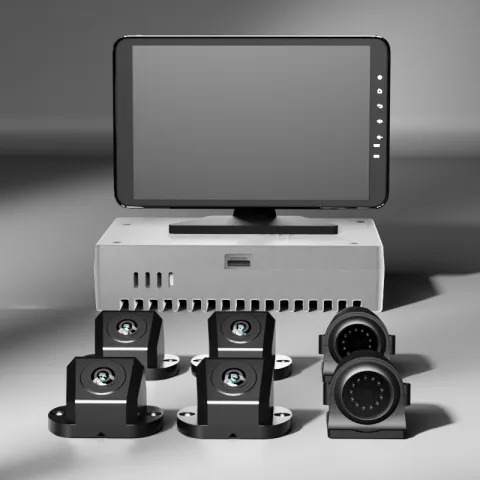 M360-26-Channel 360° Camera System with BSDRequest a quote
| Question for the vendor or installer | Why it matters |
|---|---|
| Which zones are covered with the tractor alone, and which need trailer cameras? | Defines the real scope of the system before pricing |
| How is calibration performed, and how long does it take per vehicle? | Affects workshop time and scheduled downtime |
| What happens to the stitched view after a trailer swap? | Shows whether recalibration is needed in daily operation |
| Are harnesses and connectors suited to our coupling cycles and route conditions? | Reduces the risk of intermittent faults at the trailer connection |
| What display and recording options are available, and how is footage exported? | Links the camera system to your existing fleet processes |
| What installation documentation, training and after-sales support are included? | Supports consistent installation quality across depots |
Questions about 360 camera systems for semi trucks
Does a 360 camera eliminate blind spots on a semi truck?
No. Around-view monitoring adds viewpoints around the vehicle and can make maneuvering easier to judge, but articulation, trailer length and mounting positions all leave areas the cameras do not see.
Where should cameras be mounted on a tractor and trailer?
Common positions are the mirror arms, the front of the tractor, and the trailer front, sides and rear door. The useful combination depends on the trailer types you pull and how often they change, so the installer should confirm placement against your actual vehicles.
How is a 360 camera calibrated on a semi truck?
The vehicle is parked on level ground in its service configuration, the manufacturer's targets are placed around it and the system computes alignment for each camera. The stitched view is then checked for seam alignment and distance judgment, and the result is recorded. Follow the vendor's documented procedure.
What should I re-check after a trailer swap or a repair?
Check every trailer-mounted camera and connection point after coupling, and re-verify camera aim after body, mirror or glass work. Build these checks into the pre-trip routine.
What should fleet managers verify before buying a 360 camera system?
Confirm which zones are covered with and without trailer cameras, the calibration method and time, the connector plan, and how recording and footage export work. Also ask which specifications are documented and what support follows installation.
Key takeaways
- A 360 camera for a semi truck is an around-view aid; coverage depends on geometry, placement and calibration rather than camera count.
- Specify tractor views and trailer views separately.
- Articulation and trailer swaps mean the stitched view reflects a geometry that keeps changing.
- Placement trades visibility against durability, cleaning access and service time.
- Follow the manufacturer's calibration procedure and document it with acceptance checks.
- Re-validate coverage after trailer swaps, repairs and lens cleaning.
For 360° around-view layouts, camera counts and systems for trucks and buses in one place, see the 360° around-view solution.