
What should we do about false or missed blind spot alerts?
Record each case, check the camera's mounting, angle and lens, then review the event video to find the cause before changing any settings.
Most problems come from a dirty lens, a camera that has moved, or a detection zone that does not match the vehicle. Keep a simple log so you can see patterns across vehicles.
- Note the vehicle, time, location and type of alert (false or missed).
- Clean the lens and check that the camera has not moved.
- Review the recorded video to see what the camera saw.
- Recalibrate or adjust the detection zone where the model allows it.
- Retest on the same route and contact our support team if the problem continues.

Check the camera
A moved or dirty camera is the most common cause.
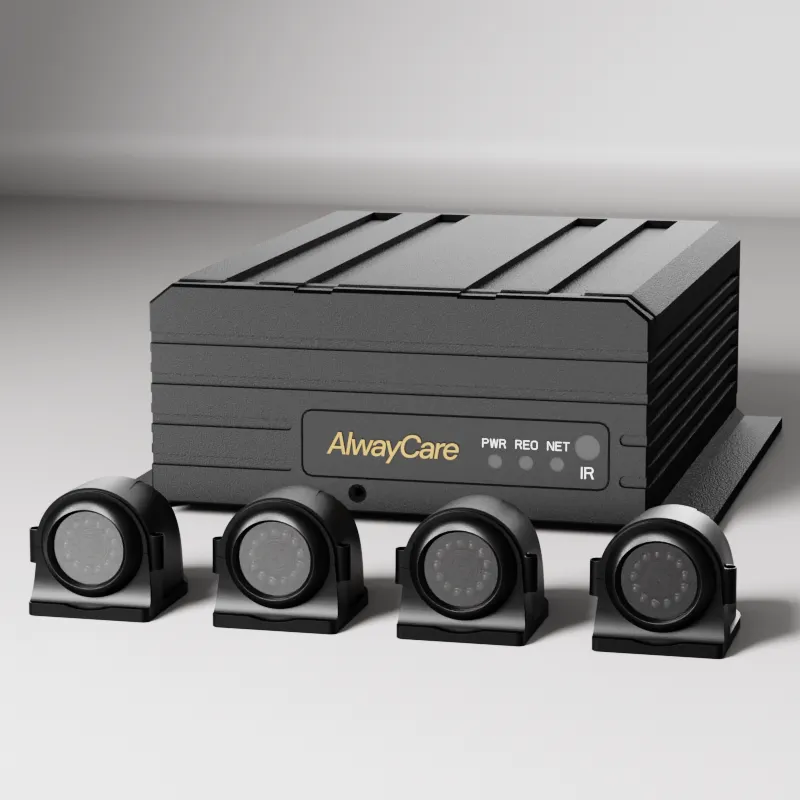
Record events
MR910-BSD records 1080p video with BSD for later review.

Review and log
Review event video and keep a log to spot repeat problems.
Before you deploy
- No detection system catches every object; drivers must still check their mirrors.
- Do not lower sensitivity just to stop false alerts without checking missed alerts too.
FAQs
- Logistics and transportation FAQ
- Vehicle Manufacturer FAQ
- Mining Fleet FAQ
- Hazardous Chemicals Fleet FAQ
- School Bus Fleet FAQ
- Public Bus Fleet FAQ
- Forklift Fleet FAQ
- Insurance FAQ
- Government and Public Safety FAQ
- In-vehicle Camera Solution FAQ
- Vehicle Positioning Solution FAQ
- Vehicle Surveillance Video Solution FAQ
- 360-degree Detection Solution FAQ
- Blind Spot Solution FAQ
- Anti-Fatigue Solution FAQ
- Anti-collision solution FAQ
- OEM&ODM
- Service FAQ
- Fleet Solutions FAQ

